

USB-C Hub vs. Docking Station: Choosing the Best Solution for Your Canadian Workspace
2026 Jun 24th
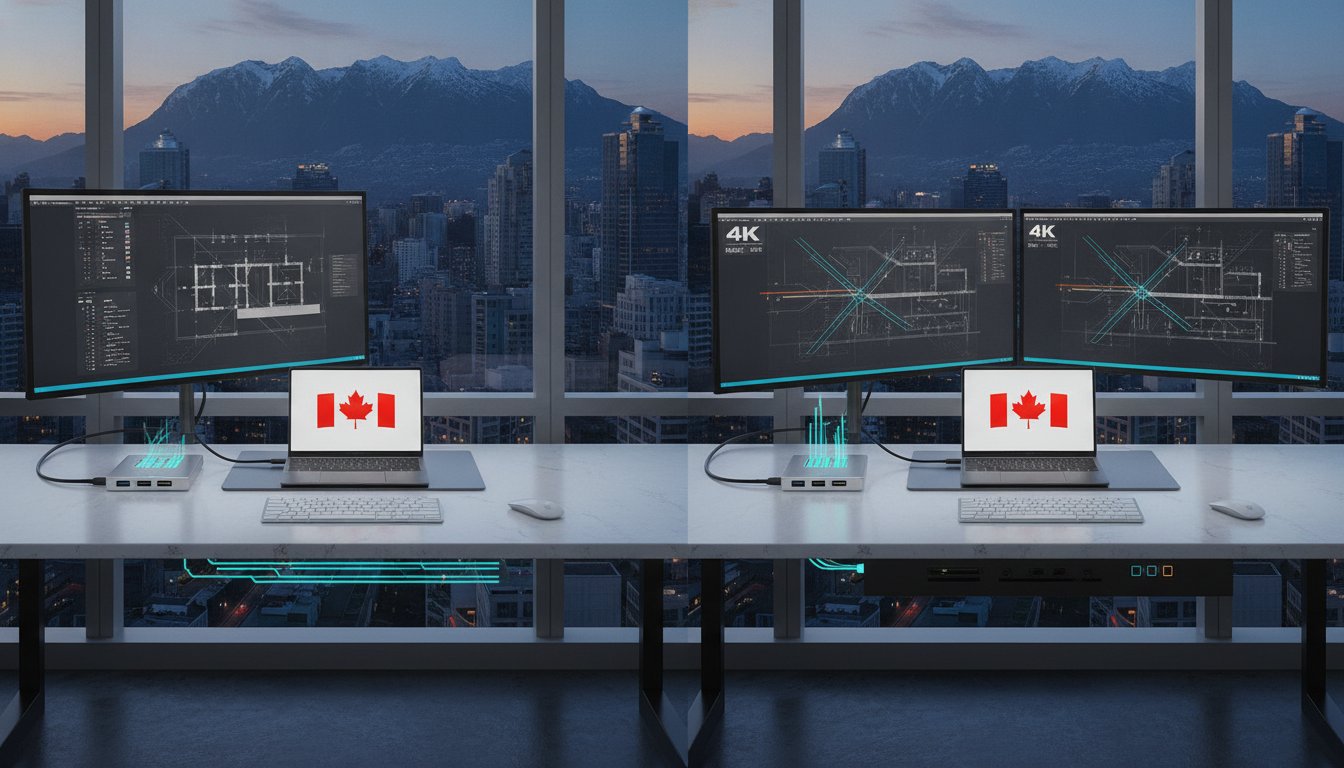
Approximately 72% of laptops shipped recently arrived with limited port configurations. This leaves many Canadian professionals struggling to connect essential peripherals. You've likely felt the frustration. A cluttered desk. A laptop that overheats. A single 4K monitor that won't stay connected. Finding the right usb c hub is no longer just about adding ports. It's about maintaining a functional workspace in a hybrid-first world where efficiency is the priority.
Most users realize that generic adapters often fall short. They fail to deliver reliable 4K video or the fast pass-through charging promised on the box. You'll discover the critical differences between portable hubs and dedicated docking stations to optimize your productivity in 2026. This guide compares technical specifications like PD 3.1 power delivery and 80Gbps data speeds. It's designed to help you organize a clean, high-performance centre for your professional life. We break down exactly which hardware configuration supports your specific workflow requirements.
Key Takeaways
- Understand why modern hardware trends necessitate external expansion to maintain a professional peripheral workflow.
- Compare the utility of a compact usb c hub against a high-power docking station to find your ideal balance of mobility and performance.
- Evaluate essential performance metrics for 2026, including 4K video reliability and advanced data transfer standards.
- Learn how premium aluminum housing and ergonomic stand designs improve heat dissipation and workspace organization.
- Discover how 11-in-1 integrated solutions can consolidate your connectivity to create a streamlined, high-efficiency Canadian office.
The Connectivity Gap: Why Modern Laptops Require a USB-C Hub
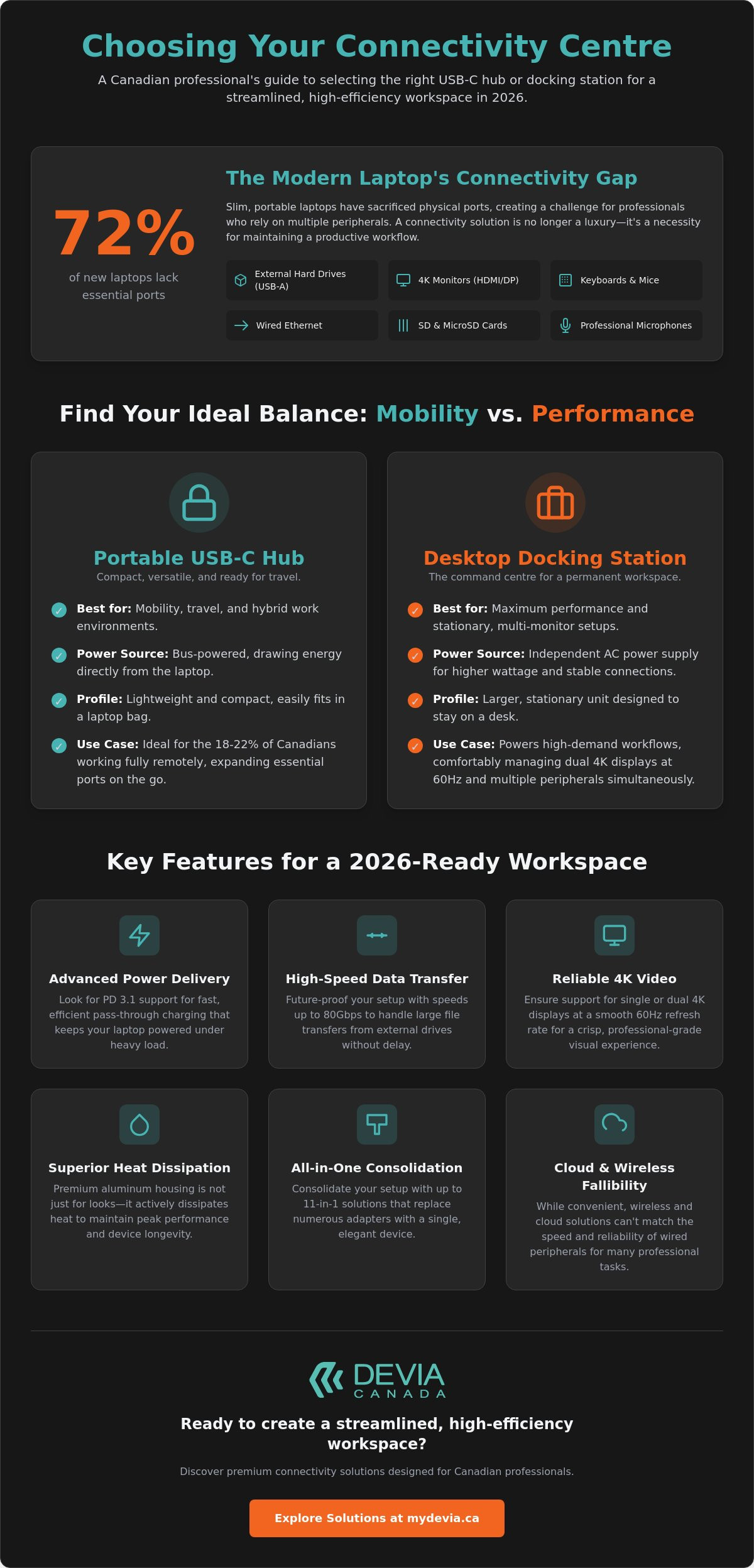
Modern laptop engineering focuses on portability. Slimmer chassis designs look sleek but create a massive connectivity gap for professionals. As of 2024, approximately 72% of laptops shipped with limited port configurations. This trend forces users to choose between a thin device and the ability to connect essential tools. The widespread adoption of the USB-C standard has replaced dedicated HDMI, DisplayPort, and USB-A slots with a single, versatile interface. While this transition simplifies hardware design, it complicates the daily workflow for those using multi-monitor setups or high-speed external drives. You need more than just one port to manage a professional environment.
The Rise of the Minimalist Laptop
MacBook and Ultrabook users often find themselves in a "port shortage" crisis. Manufacturers expect you to rely on cloud storage and wireless accessories; however, the reality of the Canadian workspace isn't that simple. Many reliable tools still rely on older connectors. A usb c hub acts as a bridge between modern hardware and legacy peripherals. Without one, connecting these devices becomes impossible:
- Legacy USB-A thumb drives and external hard drives.
- Wired mechanical keyboards and high-precision mice.
- Dedicated HDMI or DisplayPort cables for 4K monitors.
- SD and microSD cards for photography and video editing.
- Reliable Ethernet connections for stable video conferencing.
This necessity is even more apparent as 2026 EU regulations mandate USB-C for all portable electronics. This solidifies it as the universal connector for the foreseeable future. Professionals must adapt by using hardware that expands these limited physical connections into a functional array of ports.
Impact on Daily Productivity
The constant cycle of cable swapping is a productivity killer. When you move from a home office to a meeting room, unplugging five different cables wastes time. It increases the risk of physical damage. A single-cable usb c hub solution streamlines this transition. It allows you to connect everything through one port. This approach also reduces wear and tear on your laptop’s primary Type-C ports. Instead of stressing the internal hardware with daily insertions, you use a single point of contact. This preserves the longevity of your machine while maintaining a clean, organized desk layout. Efficiency is prioritized when your setup requires only one connection to become fully operational. It transforms a mobile laptop into a desktop-class workstation instantly.
USB-C Hub vs. Docking Station: Analyzing the Key Differences
Choosing between these devices depends on your specific environment and hardware requirements. A usb c hub is typically a bus-powered device. It draws its power directly from the host laptop. This makes it an ideal choice for the 18-22% of Canadians working fully remotely who need to move between different locations. These devices are lightweight and compact. They prioritize mobility over raw power. They are perfect for expanding a few ports on the go without requiring an extra wall outlet.
Docking stations operate on a different scale. They usually feature an independent power supply. This external power brick allows them to provide higher wattage for pass-through charging and support more intensive data tasks simultaneously. While a standard hub might struggle with multiple high-resolution screens, a docking station can comfortably manage dual 4K setups at 60Hz. The trade-off is size. Docks are stationary units designed to remain a permanent fixture on your desk. They act as a central command centre for all your peripherals.
A cost-benefit analysis reveals that portable dongles are more budget-friendly but may lead to port congestion. Desktop docks require a higher initial investment but offer superior longevity and performance for high-demand workflows. Identifying which one you need requires looking at your daily desk habits and the number of devices you connect simultaneously.
Portability and Travel Considerations
For mobile professionals, a compact 5-in-1 hub is often sufficient. It provides the basics, such as a couple of USB-A ports, an HDMI output, and perhaps an SD card reader. However, there is always a trade-off between size and variety. If you require Ethernet or multiple display outputs, you might need a slightly larger multi-port solution. You can learn more about these specific hardware trade-offs in our guide on How to Choose the Right Docking Station for Your Laptop in 2026.
Power Delivery and Desktop Performance
Docking stations are the preferred choice for permanent Canadian home offices. They offer reliable pass-through charging that actually works for power-hungry gaming or design laptops. Modern PD 3.1 standards now allow for up to 240W of power. This ensures your machine stays charged even under a heavy rendering load. When analyzing Essential Features for a High-Performance workspace, the ability to sustain high-speed data transfer across multiple external drives is a top priority.
Finding the "sweet spot" often involves looking at multi-port Type-C smart hubs. These hybrid devices offer the port density of a dock with the form factor of a large usb c hub. They provide a balanced approach for users who want a clean desk without the bulk of a full-sized docking station. If you're looking to upgrade your setup, explore our range of professional connectivity solutions to find the right fit for your hardware.
Essential Features for a High-Performance Type-C Hub
Selecting a high-performance usb c hub requires looking beyond the number of ports. The internal controllers determine whether your peripherals operate at full speed or face bottlenecks. Data transfer requirements have evolved. While USB 3.0 provides a standard 5Gbps, professionals handling large video files or high-resolution assets often require USB 3.1 Gen 2 speeds of 10Gbps. For the most demanding workflows, Thunderbolt 5 now offers up to 80Gbps of bi-directional bandwidth. This ensures that external NVMe drives can operate at their maximum potential without latency.
Creatives also need to prioritize specialized slots. Integrated SD and MicroSD card readers are essential for photographers and videographers who need to offload footage quickly. Look for UHS-II support to ensure transfer rates don't stall during high-volume imports. Reliability in these small details separates a professional-grade tool from a generic consumer adapter. A well-designed usb c hub integrates these features into a single, heat-efficient housing to maintain peak performance during long workdays.
Display Standards and Refresh Rates
Video output is a common point of failure for lower-end hubs. Most Canadian professionals now utilize 4K monitors, but the refresh rate is what defines visual clarity. A hub supporting 4K at only 30Hz results in noticeable cursor lag and choppy window movement. You should aim for 4K at 60Hz to ensure a smooth, desktop-class experience. While HDMI is the most common connector, DisplayPort 2.1 is becoming the preferred choice for those running high-refresh gaming monitors or multiple daisy-chained displays through a single Type-C connection. Ensure your hardware supports the necessary DisplayPort Alt Mode versions to unlock these resolutions.
USB Fast Charging and Power Management
Power Delivery (PD) is often misunderstood. A significant gap exists between input and output wattage. If a hub supports 100W PD pass-through, it typically reserves 10 to 15W for its own internal circuitry and connected USB devices. This means your laptop might only receive 85W of actual charging power. Understanding this smart power allocation is vital for users with power-hungry machines like the 16-inch MacBook Pro or high-end mobile workstations. Effective power delivery prevents battery drain during intensive tasks by ensuring the laptop draws from the wall rather than its internal cell. Always use a wall charger that exceeds the hub's maximum rating to guarantee your system stays topped up throughout the day.
Professional Workspace Organization for Canadians
Organization is as important as the technology itself. A usb c hub does more than expand ports; it reorganizes your physical workspace. For the Canadian professional, a clean desk setup minimizes distractions and improves daily focus. Centralizing your connections into a single device eliminates the "cable spaghetti" often found in home offices. This systematic approach to hardware management ensures that your most important peripherals are always ready for use without the need for constant reconfiguration.
Durability remains a primary concern for long-term investments. Metal grey aluminium housing is the standard for professional-grade hardware. It provides a tactile advantage over plastic alternatives. More importantly, aluminium is an excellent thermal conductor. When you connect multiple high-speed peripherals and a power-hungry laptop, the internal temperature of a usb c hub can rise significantly. Metal housing dissipates this heat efficiently. This protects the internal circuitry and prevents performance drops during extended work sessions. Choosing hardware built for the Canadian professional environment means prioritizing materials that withstand daily use while maintaining peak performance.
Ergonomic Benefits of Integrated Stands
Modern docking solutions often incorporate ergonomic features that go beyond simple connectivity. An integrated laptop stand improves your posture by elevating the screen to a more natural eye level. This simple adjustment reduces neck strain and long-term fatigue during eight-hour workdays. Additionally, elevating the chassis enhances airflow around the laptop’s intake vents. This prevents thermal throttling, ensuring your machine maintains high processing speeds during intensive tasks like video rendering or large data transfers. To find the right fit for your specific machine, explore the Best MacBook Docking Station Solutions for Canadian Professionals in 2026.
Aesthetics and Material Quality
A professional workspace should look as good as it functions. Premium metal construction allows you to match your accessories to high-end laptop finishes like Space Grey or Metal Grey. This creates a cohesive, high-tech aesthetic that reflects a disciplined approach to work. Metal hubs are less prone to cracking or port loosening compared to cheap plastic dongles. They feel substantial on the desk and stay in place even when multiple heavy cables are attached. Creating a "clean desk" setup isn't just about hiding wires; it is about selecting high-quality tools that inspire professional focus. You can shop our full collection of professional hubs and docking stations to upgrade your Canadian workspace today.
The Devia Leopard Series: An 11-in-1 Solution for Ultimate Productivity
The DEVIA USB C Laptop Docking Station Leopard Series (11 in 1) Multi-Port Type-C Fast Charging Smart Hub & Stand – Metal Grey represents the next generation of workspace efficiency. It addresses the connectivity gap and ergonomic challenges discussed earlier by merging two essential tools into one cohesive unit. This usb c hub is specifically designed for the 18-22% of Canadian professionals working remotely who require a high-performance, stationary setup that remains portable when necessary. It eliminates the need for separate purchases by integrating a comprehensive port array directly into a durable, heat-dissipating stand.
Unpacking the 11-in-1 Port Array
The Leopard Series replaces a bag full of individual dongles with a single, centralized interface. It provides a methodical layout of high-speed connections to support every professional requirement. The integrated port selection includes:
- 4K HDMI Output: Delivers crisp video for external monitors at professional refresh rates.
- Multi-Port USB-A: Supports legacy peripherals like mechanical keyboards and external drives.
- Type-C Fast Charging: Optimized Power Delivery to keep modern laptops topped up during intensive tasks.
- RJ45 Ethernet: Provides the stable, high-speed networking required for reliable video conferencing.
- SD and MicroSD Slots: Essential for creatives needing fast data transfer from camera cards.
This configuration ensures you never have to prioritize one device over another. Every peripheral has a dedicated slot, maintaining a clean and organized desk environment.
Why the Leopard Series Stands Out
Most market options treat the hub and the laptop stand as separate entities. The Leopard Series stands out by combining them. The foldable stand design is optimized for both Apple and Samsung ecosystems, providing a stable base for MacBooks, iPads, and Galaxy devices alike. It offers the ergonomic benefits of screen elevation while serving as the primary usb c hub for your entire setup. The metal grey finish matches professional laptop aesthetics, while the aluminium construction ensures longevity and superior heat management.
For Canadian professionals seeking a reliable, all-in-one docking solution, this hardware provides the necessary ports and posture support in a single package. It is a systematic upgrade for any hybrid workspace. Reliable tech hardware is available for national delivery across Canada, ensuring your home office meets 2026 productivity standards. This 11-in-1 smart hub is the final piece for anyone looking to optimize their digital and physical workspace simultaneously.
Optimize Your Professional Setup for 2026
Transitioning from a mobile laptop to a desktop-class workstation requires the right hardware balance. You now understand that while portability matters, stationary power and heat dissipation are what define long-term productivity. High-performance connectivity relies on selecting a usb c hub that supports current standards like PD 3.1 and 4K at 60Hz. These technical specifications ensure your peripherals operate at peak capacity without compromising your machine's longevity.
The Leopard Series 11-in-1 Multi-Port functionality provides a systematic solution for cable management and ergonomic support. Its premium Metal Grey aesthetic integrates seamlessly into any professional Canadian office. By choosing reliable tech from a Canadian-based e-commerce provider, you ensure your workspace is ready for the demands of hybrid work. It is time to eliminate clutter and prioritize efficiency.
Upgrade your setup with the Devia Leopard Series 11-in-1 Docking Station and experience a more organized, high-speed workflow today.
Frequently Asked Questions
Will a USB-C hub work with my MacBook Air or MacBook Pro?
Yes. Modern MacBooks rely on Type-C ports for all connectivity. A compatible hub allows you to connect legacy USB-A devices and external displays. It is important to check the specific bandwidth requirements of your model. Newer Pro versions benefit from hubs that support higher data transfer rates. This ensures your professional peripherals operate at their full potential without bottlenecking your system.
Does a multi-port hub slow down my internet or data transfer speeds?
A high-quality hub will not noticeably slow down your internet if it features a dedicated gigabit Ethernet controller. Data transfer speeds are shared across the internal bus. If you connect multiple high-speed drives simultaneously, the total bandwidth is divided between them. Integrated RJ45 ports provide stable networking for most Canadian home office setups. This is often more reliable than standard Wi-Fi for video conferencing.
Can I charge my phone and laptop simultaneously through a smart hub?
Yes, provided the device supports Power Delivery pass-through. The hub intelligently allocates wattage between the laptop and the USB ports used for mobile devices. You should use a high-wattage wall adapter to ensure both machines receive adequate power. This prevents the laptop battery from draining during intensive tasks. It keeps your workspace organized by using a single power source for multiple electronics.
What is the difference between a USB-C hub and a Thunderbolt dock?
The primary difference lies in bandwidth and protocol support. A standard usb c hub typically offers data speeds between 5Gbps and 20Gbps. Thunderbolt docks provide up to 80Gbps and require a dedicated external power supply. Docks are better suited for permanent dual 4K monitor setups. Hubs prioritize portability and are often bus-powered. This makes them more convenient for professionals who travel frequently.
Do I need a separate power adapter for my docking station?
Most stationary docking stations require their own power supply to function correctly. This allows the unit to charge your laptop and power all connected peripherals without drawing solely from the laptop battery. Portable hubs are usually bus-powered and don't require an extra plug. If you use a high-demand setup with multiple drives and monitors, a powered dock is the more stable choice for long-term use.
Can I use a USB-C hub with my iPad or Samsung Galaxy tablet?
Yes. iPads with Type-C ports and Samsung Galaxy tablets support external expansion. Connecting a usb c hub allows you to use keyboards, mice, and external storage drives. This transforms a mobile tablet into a functional workstation for light productivity or creative tasks. It is an efficient way to manage files when you are away from a traditional desktop or laptop computer.
Why is my USB-C hub getting warm during use?
Heat is a natural byproduct of data transfer and power conversion. High-quality aluminium hubs are designed to dissipate this heat through the casing to protect internal components. It is normal for the device to feel warm when running a 4K monitor or charging a laptop. Metal grey housing is specifically engineered to manage these temperatures. This maintains peak performance during long workdays in your Canadian workspace.
How many monitors can I connect to an 11-in-1 docking station?
An 11-in-1 docking station typically supports one 4K display at 60Hz or dual displays at lower refresh rates. This depends on the HDMI specifications of the hub and your laptop's graphics capabilities. Some MacBooks only support a single external display through a standard hub. Always verify your hardware's DisplayPort Alt Mode version. This ensures you can achieve the resolution and refresh rate required for your specific professional workflow.