

The Ultimate Guide to USB Type C USB Hubs for Canadian Professionals
2026 Jul 24th
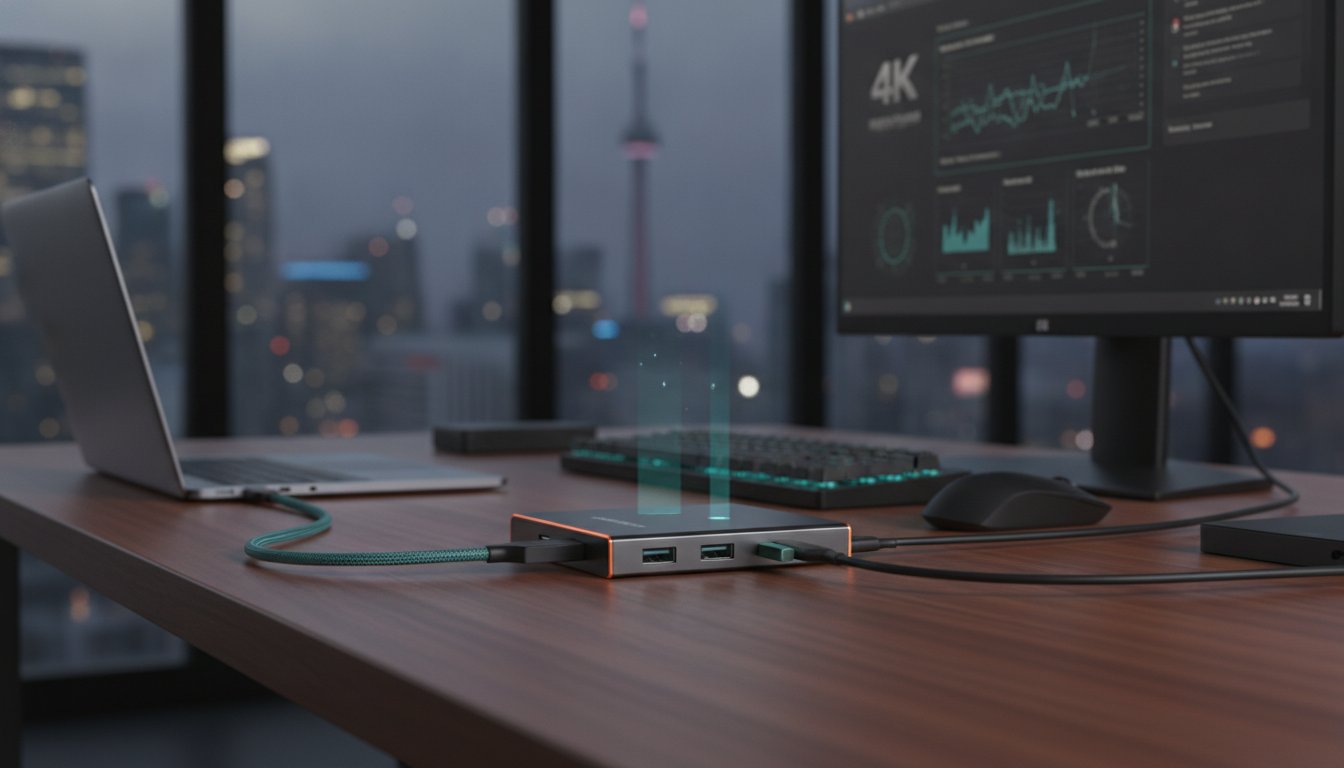
Over 70% of modern professionals now rely on a usb type c usb hub to maintain their daily productivity. Despite this high adoption rate, many users still face the daily frustration of cable clutter, overheating hardware, and flickering 4K monitor connections. You likely realize that the limited ports on your sleek laptop shouldn't dictate your efficiency or the speed of your data transfers.
This guide explores how to expand your laptop’s potential by choosing a hub that balances technical performance with workspace utility. You will learn to navigate complex specs like USB Power Delivery 3.1 and the latest USB4 standards to ensure your peripherals stay connected without compromise. We also examine how a professional-grade multi-port solution, such as the Devia Leopard Series 11-in-1, creates a reliable, high-speed centre for your hardware. Discover how to build a clean, organized desk setup that supports your most demanding professional tasks.
Key Takeaways
- Identify the functional differences between portable hubs and stationary docking stations to choose the right centre for your professional workspace.
- Master technical specifications like Power Delivery (PD) and high-speed data transfer rates to ensure your laptop remains charged and efficient.
- Learn how to audit your peripherals and laptop ports to select the most compatible usb type c usb hub for your specific connectivity needs.
- Explore the benefits of integrated hardware designs, such as the Leopard Series 11-in-1, which combine multi-port utility with ergonomic laptop stands.
- Future-proof your office setup by understanding the latest standards in video output and data synchronization for modern Canadian professionals.
What is a USB Type C USB Hub and Why is it Essential?
Modern laptop design focuses on extreme minimalism. Thinner chassis and lighter frames lead to a significant reduction in physical ports. This shift creates a "dongle" requirement for professionals who need more than a basic setup. A usb type c usb hub solves this problem by acting as a high-performance expansion tool. It transforms a single, small port into a comprehensive workspace centre capable of supporting multiple peripherals simultaneously.
The utility of these devices lies in their multitasking capabilities. A single Type-C connection can manage high-speed data transfer, 4K video output, and Power Delivery (PD) charging at the same time. For Canadian professionals working from home or in hybrid offices, this technology is the bridge between a portable laptop and a full-scale workstation. It eliminates the need to choose between charging your device or connecting an external drive.
The Evolution of USB Connectivity
Previous standards like USB-A and USB-B were limited by their physical size and single-purpose nature. The USB Type-C standard introduced a universal, reversible connector that supports much higher bandwidth. Its most versatile feature is "Alt Mode." This allows the port to transmit non-USB signals, specifically DisplayPort or HDMI video. Professionals are moving away from single-purpose adapters because a usb type c usb hub integrates all these functions into one durable unit. It simplifies the hardware stack and ensures compatibility across different device generations.
Key Benefits: Productivity and Organization
A cluttered desk often leads to a cluttered workflow. Using a single connection point reduces cable tangles and keeps your workspace organized. This setup allows you to maintain legacy hardware, such as mechanical keyboards, wired mice, or older printers, without needing to replace them. It provides a reliable link to your existing tools while taking advantage of modern speeds. High-performance options like the Devia Leopard Series 11-in-1 even integrate structural benefits, such as a built-in stand, to further optimize your desk layout.
Power management is another critical factor to consider when organizing your setup. Bus-powered hubs draw their energy directly from your laptop's battery; self-powered hubs connect to an external wall outlet to provide consistent energy to high-draw peripherals like external hard drives. Understanding this distinction helps you maintain a stable connection for all your professional tools.
Technical Specifications: Understanding Power, Speed, and Video
Technical performance defines the utility of a usb type c usb hub. While many adapters look identical, their internal components determine whether your peripherals operate at peak efficiency. High-performance hubs utilize smart chipsets to manage power and data flow. These chips prevent overheating during heavy port usage and ensure consistent connections for sensitive equipment like 4K monitors or external SSDs.
Video output is a primary requirement for creative professionals. Standard HDMI ports on entry-level hubs often cap at 1080p or 4K at 30Hz. For smooth motion in video editing or design work, look for hubs supporting 4K at 60Hz. This requires a hub that effectively manages Power Delivery and Alternate Modes to transmit high-resolution signals without lag. Reliable hardware, such as the Devia Leopard Series, uses metal grey casing to dissipate heat during these intensive tasks.
Power Delivery (PD) 3.0 Explained
Pass-through charging is a mandatory feature for laptops with limited ports. PD 3.0 technology allows your laptop to receive power from its original charger through the hub itself. Understanding wattage is crucial for stability:
- 60W PD Support: Ideal for tablets, smartphones, and ultra-portable laptops.
- 100W PD Support: Necessary for high-performance workstations and professional laptops.
Avoid using underpowered chargers. If your hub consumes 15W for its own operations and you use a 60W charger, your laptop only receives 45W. This can lead to slow charging or battery drain during heavy use. Always match your charger's output to your laptop's requirements plus the hub's overhead.
Data Transfer and Peripheral Lag
Speed varies significantly across different USB standards. USB 3.0 offers 5Gbps, while USB 3.1 and 3.2 Gen 2 provide 10Gbps or higher. These speeds are theoretical maximums; actual performance depends on how many devices share the connection. Total available bandwidth is divided among all active ports, meaning a high-speed drive may slow down if you are simultaneously transferring data from an SD card.
Peripheral lag often results from poor shielding. Low-quality hubs can cause 2.4GHz Wi-Fi and Bluetooth interference, making your wireless mouse stutter. High-quality hubs use internal shielding to block these signals. This ensures your wireless tools remain responsive throughout the workday. Consistent connectivity is the mark of a well-organized professional setup.
USB-C Hub vs. Docking Station: Which Should You Choose?
Choosing between a usb type c usb hub and a dedicated docking station depends on your workflow architecture. While both devices expand connectivity, they serve different operational needs. A hub is typically a lightweight, cable-attached tool designed for portability. A docking station is a stationary powerhouse, often featuring its own power supply and a significantly higher port count for complex desk setups.
Modern hybrid work models in Canada require a balance between these two categories. Digital nomads and frequent commuters often favour the streamlined profile of a hub. Fixed office professionals, however, require the stability and throughput of a dock to manage multiple high-resolution displays and permanent peripherals. Understanding these distinctions ensures you don't overspend on unnecessary hardware or settle for insufficient port capacity.
The Portable Advantage
The portable usb type c usb hub is the standard choice for Canadian students and professionals moving between home, the office, and the coffee shop. These devices are bus-powered, meaning they draw energy directly from your laptop. This eliminates the need for extra wall adapters during travel. Top-tier portable models utilize aluminum housing for passive heat dissipation, which is essential when the hub is tucked away in a laptop bag or used in small workspaces.
Portability doesn't mean a lack of performance. Modern hubs are fully compatible with tablets like the iPad Pro, allowing for mobile video editing and file management on the go. They provide the essential ports, such as USB-A and HDMI, without adding bulk to your mobile kit. This makes them a versatile companion for anyone who prioritizes a minimalist, travel-ready setup.
The Stationary Powerhouse
A docking station is built for the "fixed" professional. These units are designed to stay on your desk, acting as the permanent centre of your workstation. They often support triple monitor configurations and offer dedicated Gigabit Ethernet ports for the most reliable internet connection possible. This level of connectivity is critical for high-end gaming, professional video editing, and data-heavy software development where latency must be minimized.
Many professionals now opt for a hybrid solution. High-performance multi-port smart hubs provide the port density of a dock with the form factor of a hub. The Devia Leopard Series 11-in-1 Docking Station represents this evolution. It offers 11 functional ports and an integrated stand, providing a robust desktop experience that remains easy to pack if you need to relocate your office. This approach gives you the best of both worlds: stationary reliability and portable convenience.
- Portable Hub: Best for commuters, students, and minimalist setups.
- Docking Station: Best for multi-monitor arrays and permanent office centres.
- Hybrid Smart Hub: Best for professionals who need maximum ports in a compact, durable frame.
How to Choose the Right Multi-Port Hub for Your Setup
Selecting the right usb type c usb hub requires a logical assessment of your current and future hardware needs. Most professionals make the mistake of buying based on price alone, only to realize later that the hub lacks a critical port or sufficient power throughput. Follow this systematic framework to ensure your hardware investment supports your professional workflow without compromise.
Step 1: Audit your peripherals. List every device you connect daily. This includes HDMI monitors, SD cards for media, USB-A legacy tools, and wired Ethernet for stable video calls. Step 2: Verify your laptop's port capabilities. Not all Type-C ports are equal. Check if your port supports Thunderbolt or DisplayPort Alt Mode; a basic data-only port will not support external displays regardless of the hub's specs. Step 3: Determine charging requirements. Calculate your laptop's original wattage and ensure the hub supports pass-through charging that meets or exceeds that value. Step 4: Consider ergonomics. Horizontal hubs are portable, but vertical hubs or those with integrated stands help organize your desk and improve device cooling.
Matching Ports to Your Workflow
Different industries require specific connectivity standards. Identifying your primary tasks helps prioritize the right port selection:
- Photographers and Videographers: Prioritize hubs with UHS-II SD and MicroSD card readers. These provide significantly faster transfer speeds for high-resolution RAW files compared to standard readers.
- Office Professionals: Focus on multiple USB-A ports for keyboards and mice, alongside a reliable HDMI port for second-screen productivity.
- Gamers and Streamers: A Gigabit Ethernet port is a non-negotiable requirement to ensure stable, low-latency online play and high-quality streaming.
Future-Proofing for New Devices
Hardware cycles are fast. Your new usb type c usb hub should remain functional as you upgrade your mobile ecosystem. With the industry-wide shift toward universal standards, ensure your hub is compatible with the latest smartphones, such as the iPhone 17. High-quality hubs often feature firmware-updatable chipsets to maintain long-term compatibility with evolving operating systems like macOS and Windows. This prevents your hardware from becoming obsolete after a simple software update.
Maintaining a cohesive ecosystem involves more than just connectivity. For example, ensuring your mobile devices are as durable as your workstation is essential. You can learn more about maintaining your mobile hardware in our Guide to iPhone 17 Screen Protectors. Building a reliable professional centre means choosing tools that work together seamlessly across all your devices.
Ready to upgrade your workspace? Explore professional-grade USB-C hubs designed for high-performance Canadian workstations.
Devia Leopard Series: The All-in-One Professional Solution
The Devia Leopard Series 11-in-1 Multi-Port Type-C Smart Hub represents the peak of workspace integration. Most adapters are designed as loose "dongles" that add to desk clutter; this usb type c usb hub acts as a structural foundation for your entire workstation. By combining a high-performance port array with a durable integrated stand, it transforms a standard laptop into a high-efficiency professional centre. This all-in-one approach ensures you have every connection you need without sacrificing desk space or organization.
Aesthetic consistency is a priority for the modern professional. The Leopard Series features a Metal Grey finish designed to complement premium Canadian laptop brands and the broader Devia ecosystem. It feels like a natural extension of your hardware rather than a temporary add-on. Beyond looks, the hub provides fast-charging capabilities that keep your device powered through the most demanding workdays. It manages power distribution intelligently to ensure your laptop and connected peripherals receive consistent energy without interruption.
Ergonomics Meets Connectivity
Workplace health is often overlooked in tech hardware design. The integrated stand in the Leopard Series improves your posture by raising the laptop screen to a more ergonomic eye level. This adjustment reduces neck and shoulder strain during long sessions of data analysis or content creation. There's also a significant thermal benefit to this design. Elevating the chassis allows for superior airflow, which prevents the overheating and thermal throttling often associated with heavy port usage. You get a cooler, faster laptop and a more comfortable workspace in a single piece of hardware.
Reliability and Build Quality
Professional tools must withstand the rigours of daily use. The Leopard Series utilizes robust metal construction that far outlasts plastic competitors. This durability is paired with smart hub features that provide essential protection against short circuits and over-voltage. These safety protocols protect your investment and ensure that your connection to external displays or high-speed drives remains stable. Whether you are syncing a Samsung Galaxy or managing a multi-monitor setup, the hardware provides a reliable, secure link every time.
Building a high-performance office requires tools that offer both utility and longevity. Upgrade your workspace with the Devia Leopard Series 11-in-1 Hub and experience a cleaner, more efficient desk setup designed for the modern Canadian professional.
Optimize Your Professional Workspace Today
Building a high-performance office depends on reliable connectivity. Selecting the right usb type c usb hub ensures your laptop handles high-speed data, 4K video, and fast charging without hardware strain. You now understand how to audit your peripherals and match them to technical standards for long-term stability.
Superior hardware does more than add ports; it improves your daily workflow and physical posture. The Devia Leopard Series 11-in-1 Multi-Port Hub and Stand provides a comprehensive solution for Canadian professionals. Its premium Metal Grey finish matches modern hardware. The integrated ergonomic stand ensures better cooling and eye-level alignment. With 11 functional ports, you can maintain a clean, organized desk while maximizing your productivity.
Don't let limited ports restrict your potential. Shop the Devia Leopard Series 11-in-1 Multi-Port Hub and Stand to transform your laptop into a full-scale workstation. Build a reliable centre for your professional tools and stay connected with confidence.
Frequently Asked Questions
Can I use a USB-C hub with any laptop that has a Type-C port?
No, functionality depends on the specific protocols supported by your laptop's port. While the connector is universal, some ports are limited to data transfer only. You must verify that your laptop supports DisplayPort Alternate Mode for video output and Power Delivery (PD) for charging through a usb type c usb hub.
Will a USB-C hub drain my laptop battery faster if I am not plugged in?
Yes, a hub will draw a small amount of power to operate its internal chipsets and connected peripherals. This is known as "bus power" and typically consumes between 5W and 15W. If you aren't connected to a wall outlet, this draw will decrease your total battery runtime slightly during use.
Can I connect two 4K monitors to a single USB-C hub?
Support for dual 4K monitors depends on the hub's bandwidth and your laptop's operating system. Windows laptops often support Multi-Stream Transport (MST) for extended dual displays. Mac users typically require a Thunderbolt-certified hub or two separate connections to achieve non-mirrored dual 4K output.
Is it safe to charge my laptop through a multi-port smart hub?
It is entirely safe provided the hub supports Power Delivery (PD) pass-through and you use a high-quality wall charger. Professional hubs like the Leopard Series include integrated protection against over-voltage and short circuits. This ensures your laptop receives a stable, regulated current throughout the workday.
Why does my USB-C hub get warm during use?
Hubs generate heat while converting data signals and managing power distribution across multiple ports. This is a normal byproduct of high-performance hardware. Metal grey aluminum casings are used specifically to dissipate this heat efficiently, keeping the internal components at a safe operating temperature.
Do I need to install drivers to use a USB Type C USB hub?
Most modern usb type c usb hub models are designed for plug-and-play operation. Your operating system should automatically recognize the hub and its various components, such as the Ethernet port or SD card reader. You rarely need to install manual drivers on current versions of Windows, macOS, or ChromeOS.
Can I use a USB-C hub to connect my iPhone 17 or Samsung Galaxy to a monitor?
Yes, modern smartphones like the iPhone 17 and Samsung Galaxy support video output via their Type-C ports. Connecting them to a hub allows you to use external monitors and peripherals like keyboards. This is particularly useful for Samsung users who want to utilize the DeX desktop interface on a larger screen.
What is the difference between Thunderbolt 4 and a standard USB-C hub?
Thunderbolt 4 provides a guaranteed 40Gbps bandwidth and supports dual 4K displays through a single cable. Standard USB-C hubs are more common and vary in speed, typically offering between 5Gbps and 10Gbps. While Thunderbolt is faster for massive data transfers, a standard hub is sufficient for most professional office tasks.