

The Ultimate Guide to Choosing a Type C USB Dock for Your Canadian Workspace
2026 Jul 8th
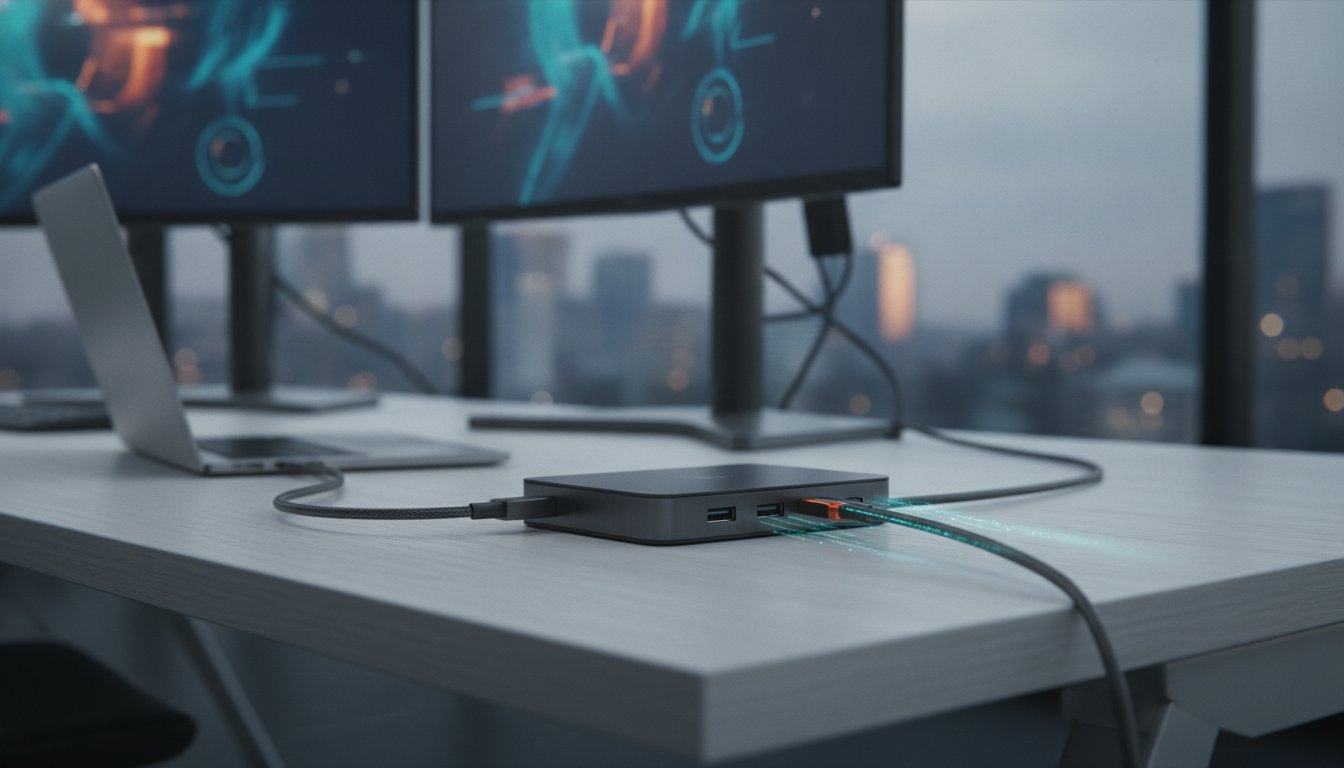
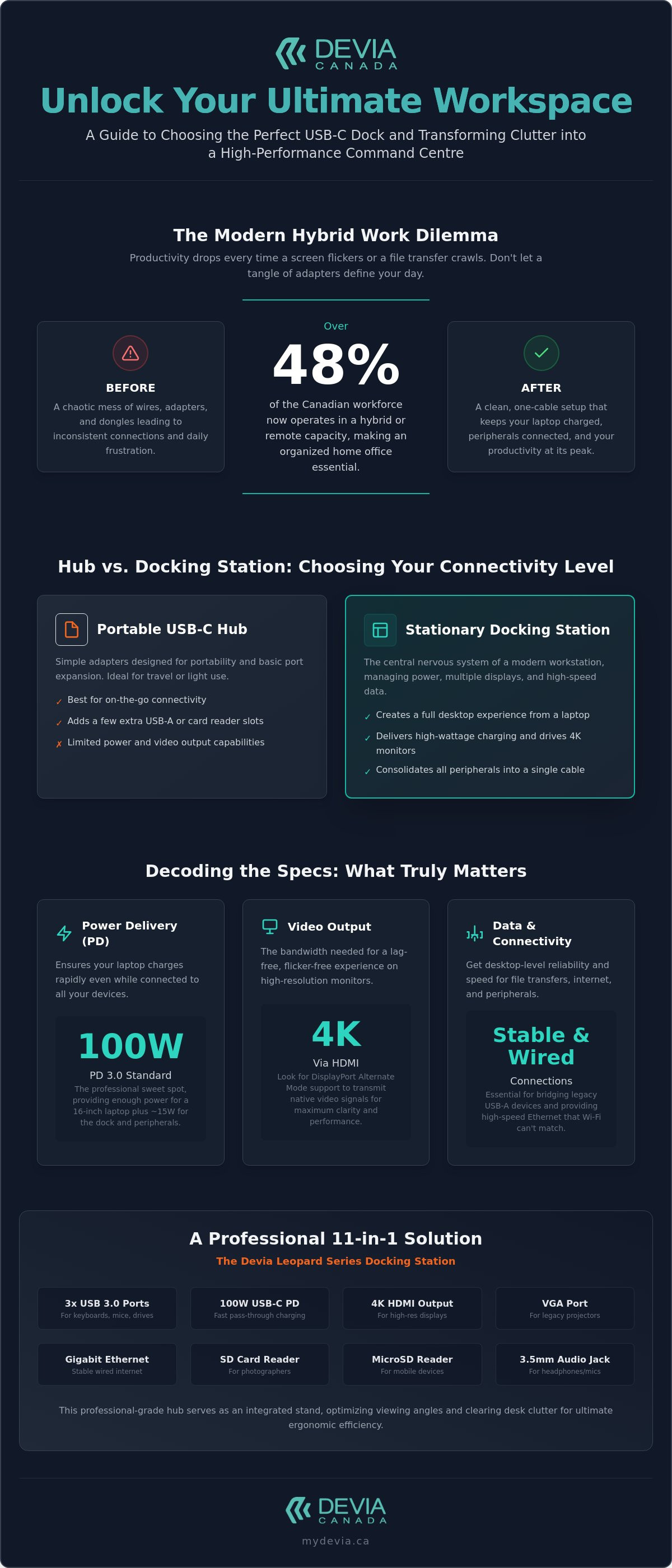
Over 48% of the Canadian workforce now operates in a hybrid or remote capacity, yet many home offices remain a chaotic tangle of separate adapters. You likely realize that your efficiency drops every time a screen flickers or a file transfer crawls. It's frustrating when your laptop won't charge while docked, leaving you tethered to multiple power bricks. Finding the right type c usb dock is the only way to transform this clutter into a streamlined, high-performance command centre.
You deserve a workspace that just works. We'll show you how to select a multi-port hub that delivers lag-free 4K video and reliable peripheral connections. This guide breaks down the technical specs you need to understand, from power delivery limits to data transfer speeds. By the end, you'll know exactly how to achieve a clean, one-cable setup that keeps your laptop charged and your productivity at its peak. We'll examine everything from standard 100W delivery to the latest connectivity trends to ensure your gear remains future-proof.
Key Takeaways
- Distinguish between portable hubs and stationary docking stations to organize your workflow with the correct balance of connectivity.
- Understand Power Delivery (PD) specifications to ensure your type c usb dock provides enough wattage to charge your laptop and peripherals simultaneously.
- Identify the data transfer speeds and video standards necessary to prevent screen flickering and maintain lag-free 4K output.
- Realize the ergonomic advantages of using an integrated hub and stand to optimize viewing angles and clear desk clutter.
- Evaluate the build quality and utility of professional 11-in-1 solutions like the Devia Leopard Series for a high-performance workspace.
Understanding the Type C USB Dock: More Than Just a Port Expander
A type c usb dock is the central nervous system of a modern workstation. It serves as a single point of entry for high-speed data, 4K video, and Power Delivery (PD). Gone are the days of proprietary, bulky docking stations that only worked with specific laptop models. Today, USB-C technology provides a universal standard that works across Windows, macOS, and ChromeOS devices.
Modern laptops are thinner than ever. While this improves portability, it often leaves users with only one or two ports. A multi-port solution is no longer a luxury; it's a necessity for anyone using external monitors, wired keyboards, or high-speed storage. You must distinguish between simple passive adapters and active smart hubs. Passive adapters merely change a plug shape. Active hubs, like the DEVIA Leopard Series, contain internal chipsets to manage power distribution and signal integrity across multiple connected devices.
The Evolution of USB-C Connectivity
The shift to USB-C replaced a dozen different cable types with one reversible interface. This design eliminates the frustration of "wrong side up" connections while increasing bandwidth. A critical feature of a quality type c usb dock is "DisplayPort Alternate Mode," or Alt Mode. This allows the port to transmit native video signals alongside standard data packets over the same wire.
Docks also act as a vital bridge for legacy hardware. Most Canadian professionals still rely on USB-A peripherals, such as older thumb drives or specialized input devices. A dedicated dock ensures these tools remain functional without requiring a drawer full of individual dongles. It effectively translates older signals into the modern Type-C language.
Why a Dedicated Dock is Essential for Productivity
Productivity thrives on a clean, organized environment. A docking station reduces cable clutter by consolidating every peripheral into a single line. Instead of plugging in five different cables every morning, you connect one. This setup is a game-changer for mobile professionals who move between home offices and corporate centres.
- Organization: Keeps your desk clear of tangled wires and separate adapters.
- Consistency: Maintains your peripheral layout exactly as you left it.
- Performance: Provides stable, wired connections that Wi-Fi and Bluetooth cannot match.
By centralizing your connectivity, you realize a desktop-like experience from a portable machine. You gain the screen real estate of multiple monitors and the reliability of wired Ethernet, all while keeping your laptop battery at 100%. Efficiency is about removing friction. A robust dock removes the friction of daily setup.
Decoding Technical Specs: Power Delivery, Data Speeds, and Video
Technical specifications dictate the difference between a seamless workflow and constant troubleshooting. When you select a type c usb dock, you're essentially choosing the bandwidth limits of your entire office. You need to look at three core pillars: how it charges your laptop, how fast it moves files, and how clearly it displays your work on external monitors. Understanding these numbers ensures you don't buy a hub that bottlenecks your hardware's performance.
Understanding USB-C Power Delivery (PD)
Power Delivery is a protocol that allows a single cable to carry both high-speed data and significant electrical power. Most modern docks use USB Power Delivery (PD) to charge your laptop while it's connected to your peripherals. This is known as "pass-through" charging. You plug your laptop's wall charger into the dock, and the dock passes that power to your computer.
A 100W PD rating is currently the industry standard for high-performance hubs. While the latest PD 3.1 standard introduced in 2026 allows up to 240W, most laptops and docks currently on the market operate within the 100W PD 3.0 range. This is the "sweet spot" for Canadian professionals. It provides enough juice to power a 16-inch laptop while still leaving roughly 15W to power the dock's internal chips and any connected USB drives or keyboards. If your dock's wattage is too low, your laptop battery might actually drain while you're working.
Video Output: HDMI, VGA, and Resolution Limits
Video performance is often where budget docks fail. Driving a 4K monitor requires massive bandwidth. If you want a lag-free experience, ensure your dock supports 4K resolution via HDMI. Some users still require a legacy VGA port for older office projectors or secondary monitors in a corporate centre. A versatile type c usb dock will often include both to maximize compatibility across different workspace environments.
Bandwidth management is key when using dual monitors. When you connect two screens, the dock must split its available data lanes. This might limit your refresh rate to 30Hz instead of the smoother 60Hz. If you notice your mouse cursor feels "heavy" or sluggish on an external screen, it's usually a sign of a bandwidth bottleneck in the hub's video controller.
Data Speeds and Heat Management
Data transfer rates vary significantly between versions. USB 3.0 (now often called USB 3.2 Gen 1) offers speeds up to 5Gbps. This is sufficient for daily office tasks and standard file backups. However, moving large 4K video files may require the 40Gbps or 80Gbps speeds found in newer USB4 standards. High-speed data and power delivery generate heat. This is why professional docks use metal-grey aluminium housings. Aluminium acts as a heat sink, drawing warmth away from the internal chipsets to prevent thermal throttling. For a reliable balance of these technical features, you might consider the Devia Leopard Series for your workspace.
USB Hub vs. Docking Station: Choosing Your Connectivity Level
Selecting the right hardware depends entirely on your specific work environment and mobility needs. A type c usb dock isn't a one-size-fits-all tool. You must choose between a lightweight portable hub for travel and a stationary 11-in-1 docking station designed to anchor a permanent desk setup. Making the wrong choice leads to either a cluttered bag or a desk that lacks essential connectivity for your peripherals.
Compatibility is your first hurdle. While USB-C is a universal physical connector, the software protocols vary. Most professional docks are plug-and-play for Windows and macOS, but certain features like dual-monitor "Extended Mode" may require specific system support. Always verify that the dock's chipset aligns with your laptop's operating system to avoid limited functionality. Build quality is equally vital. Plastic housings are prone to cracking and poor shielding. Metal grey aluminium structures offer a premium feel that matches modern laptop aesthetics while providing the durability needed for daily use.
The Portable Hub: Best for Travel and Light Use
Portable hubs focus on essential ports in a compact form factor. These devices are usually "bus-powered," meaning they draw energy directly from your laptop. This makes them ideal for students or remote workers who move between a home office and a local coffee shop. You typically get a single HDMI port and a few USB-A connections. While convenient, these hubs have limits. Connecting multiple high-power devices, such as external hard drives, can quickly drain your laptop battery if the hub doesn't support pass-through charging.
The 11-in-1 Smart Hub: The Professional Choice
For a high-performance Canadian workspace, an 11-in-1 type c usb dock is the gold standard. It transforms a laptop into a full-scale desktop replacement. These comprehensive solutions provide specialized ports that smaller hubs omit. Integrating a dedicated Ethernet port is particularly beneficial for Canadian professionals. Wired connections offer a level of stability and speed for video conferencing that Wi-Fi simply cannot match, especially in high-traffic residential areas.
- Storage: Built-in SD and TF card readers allow for rapid photo and video transfers without extra dongles.
- Audio: A dedicated 3.5mm jack keeps your headset connected, freeing up your laptop's internal port.
- Legacy Support: Includes VGA or additional USB 2.0 ports for older office equipment like printers or projectors.
Future-proofing is the final advantage of a high-port-count dock. As you add new accessories to your workflow, like external webcams or dedicated microphones, you won't need to replace your hub. An 11-in-1 solution provides the headroom to grow your setup without ever sacrificing speed or organization.
Optimizing Your Workspace for Ergonomics and Efficiency
Physical ergonomics are often the most overlooked component of a high-performance workstation. A type c usb dock does more than expand your port count; it serves as the structural foundation for a disciplined and clean office layout. By consolidating every peripheral into a single point of entry, you eliminate the "cable octopus" that typically occupies the centre of a desk. This organization isn't just for aesthetics. It prevents physical strain on your laptop's internal ports and allows you to position your equipment for a more natural workflow.
Efficiency thrives when you remove daily friction. Instead of spending five minutes every morning untangling cords, you connect one cable and immediately realize a full desktop experience. This systematic approach to hardware management reduces mental fatigue and keeps your focus on the screen. Properly positioning your peripherals ensures that your mouse and keyboard are at the correct distance, preventing the repetitive strain injuries often associated with cramped, unorganized setups.
Realizing a Tidy Desktop with Multi-Port Hubs
A multi-port hub allows you to hide the bulk of your connectivity behind your monitor or under a stand. You can connect your 4K display, mechanical keyboard, and wired mouse through one type c usb dock, leaving your immediate workspace clear. This creates a psychological advantage. A professional, clutter-free environment is proven to improve concentration and output. By centralizing your data and power, you transform a standard desk into a specialized productivity centre.
- Cable Management: Use the dock's weight to anchor heavy monitor cables, preventing them from pulling on your laptop.
- Peripheral Positioning: Group your permanent accessories together to keep your primary work area open for documents or tablets.
- Visual Focus: Removing the visual noise of multiple adapters helps maintain a professional appearance during video calls.
The Integrated Stand Advantage
Using a dock that doubles as a laptop stand provides two distinct functional benefits. First, it improves laptop thermals by elevating the chassis, allowing for better airflow and preventing performance throttling during intensive tasks. Second, it raises the screen to eye level. This adjustment is critical for reducing neck and shoulder strain during long sessions. The DEVIA Leopard Series (11 in 1) Multi-Port Type-C Fast Charging Smart Hub & Stand – Metal Grey provides a durable aluminium base that elevates your laptop while centralizing all eleven connectivity ports. To build your ergonomic workstation, you can order the Devia Leopard Series 11-in-1 dock to streamline your setup immediately.
The Devia Leopard Series: A Professional 11-in-1 Solution
The DEVIA USB C Laptop Docking Station Leopard Series (11 in 1) Multi-Port Type-C Fast Charging Smart Hub & Stand – Metal Grey is a definitive tool for workspace organization. It integrates a high-capacity hub into a structural stand, creating a centralized productivity centre. The Metal Grey aluminium chassis provides a professional look while ensuring long-term durability. This material choice is functional; it dissipates heat effectively during heavy data loads. It's a comprehensive solution for users who value both performance and a tidy desk.
Choosing a type c usb dock often involves compromising between port variety and portability. The Leopard Series removes that compromise by offering eleven distinct connection points in a single unit. It's designed for professionals who need to transition quickly between a mobile setup and a full desktop environment. You don't need a bag full of individual adapters when one device handles every connection.
Technical Specifications of the Leopard Series
The port layout is calculated for maximum utility. It features high-speed SD and TF card readers, allowing for rapid file transfers from digital cameras or mobile storage. For audio professionals and remote workers, the inclusion of a 3.5mm jack ensures compatibility with high-quality wired headsets. Power management is equally robust.
- Power Delivery: Supports up to 100W PD for fast laptop charging.
- Video Output: 4K HDMI port for crisp, lag-free external displays.
- Data Hub: Multiple USB ports for keyboards, mice, and external drives.
- Network: Integrated Ethernet for stable, high-speed internet.
Compatibility and Performance
This type c usb dock maintains high performance across diverse hardware environments. It's fully compatible with the latest MacBook and Windows laptops, providing a seamless plug-and-play experience. The internal controllers manage high-bandwidth tasks without signal degradation. You can edit 4K video or run massive data backups with confidence in your connection's stability.
The Leopard Series stands out in the Canadian market by combining a hub and a stand into one efficient package. It simplifies your purchasing decision by providing every essential port in a durable, metal housing. This systematic approach to connectivity makes it the ideal centre for any modern tech setup. It's a reliable investment for anyone looking to maximize their laptop's potential while maintaining an organized workspace.
Build Your High-Performance Canadian Workspace
Building an efficient home or corporate office starts with selecting hardware that eliminates connectivity bottlenecks. You now understand that a high-quality type c usb dock does more than just add ports; it manages power delivery, ensures lag-free video output, and improves your physical ergonomics. By choosing a solution that balances technical specs with durable build quality, you realize a workspace that remains functional as your peripheral needs grow.
The right setup allows you to focus on your output rather than your adapters. With an integrated stand and comprehensive port variety, you can maintain a clean desk while keeping your laptop thermals under control. It's time to stop struggling with separate dongles and embrace a unified connectivity centre.
Upgrade your workspace with the Devia Leopard Series 11-in-1 Docking Station to experience 11-in-1 multi-port versatility and a premium metal grey aluminium finish. This integrated laptop stand design is the systematic choice for any modern professional. Streamline your workflow today.
Frequently Asked Questions
What is the difference between a USB-C hub and a Type C USB dock?
A USB-C hub is typically a portable, bus-powered device designed for light travel and occasional use. In contrast, a type c usb dock serves as a permanent workstation anchor with support for external power delivery and high-bandwidth peripherals. Docks usually offer a wider array of connections, such as Ethernet and multiple video outputs, while simultaneously charging your laptop through a single cable.
Will a Type-C docking station charge my laptop while I work?
Yes, most modern docking stations will charge your laptop if they support USB Power Delivery (PD). You connect your laptop's USB-C wall charger directly to the dock's PD input port. The device then passes that power to your computer through the main connection cable. This ensures your battery remains full while you use external monitors, hard drives, and other desk accessories.
Can I use a USB-C dock with a laptop that does not have a Thunderbolt port?
You can use a USB-C dock with non-Thunderbolt laptops as long as the USB-C port supports "DisplayPort Alternate Mode" for video output. While Thunderbolt ports offer higher maximum bandwidth, standard USB-C ports with Alt Mode can still drive 4K monitors and manage high-speed data. Always check your laptop's technical specifications to confirm port capabilities before you invest in a new docking solution.
Does the Leopard Series 11-in-1 dock support dual 4K monitors?
The Leopard Series 11-in-1 dock supports 4K resolution through its dedicated HDMI port for a crisp, high-definition visual experience. While it provides a wide variety of ports, driving multiple external displays simultaneously depends on your laptop's graphics card and the available bandwidth of the connection. For most Canadian professionals, the single 4K HDMI output provides the ideal balance of clarity and performance for a primary external screen.
Why is my USB-C dock getting warm during use?
It's normal for a type c usb dock to get warm because it manages significant electrical power and high-speed data streams at the same time. The professional aluminium housing used in the Leopard Series acts as a heat sink to draw warmth away from internal chipsets. This thermal management prevents the device from overheating or throttling your data transfer speeds during intensive tasks like video editing or large backups.
Is it better to have a dock with a built-in laptop stand?
A dock with an integrated stand is superior for both ergonomics and device health. It elevates your screen to eye level to reduce neck strain while improving airflow around the laptop's chassis. This dual-purpose design saves valuable desk space and prevents your computer from overheating during long work sessions. It effectively transforms your portable laptop into a high-performance desktop centre.
Do I need to install drivers for the Devia Leopard Series docking station?
No, the Devia Leopard Series docking station is a plug-and-play device that doesn't require manual driver installations. Most modern operating systems, including Windows and macOS, recognize the hub's internal chipsets automatically. You can simply connect the dock to your laptop's Type-C port and begin using your peripherals immediately. This eliminates technical friction and allows you to organize your workflow without complex software setup.
Can I connect a wireless mouse and keyboard to a Type-C dock?
You can easily connect wireless peripherals by plugging their USB receivers into the dock's USB-A ports. The docking station treats these receivers exactly like wired connections, providing a stable link for your mouse and keyboard. This setup is ideal for creating a clean, wire-free desk environment while keeping your laptop's limited internal ports free for other essential uses.