

Choosing the Perfect iPad Case: The Ultimate 2026 Canadian Buying Guide
2026 Jun 6th
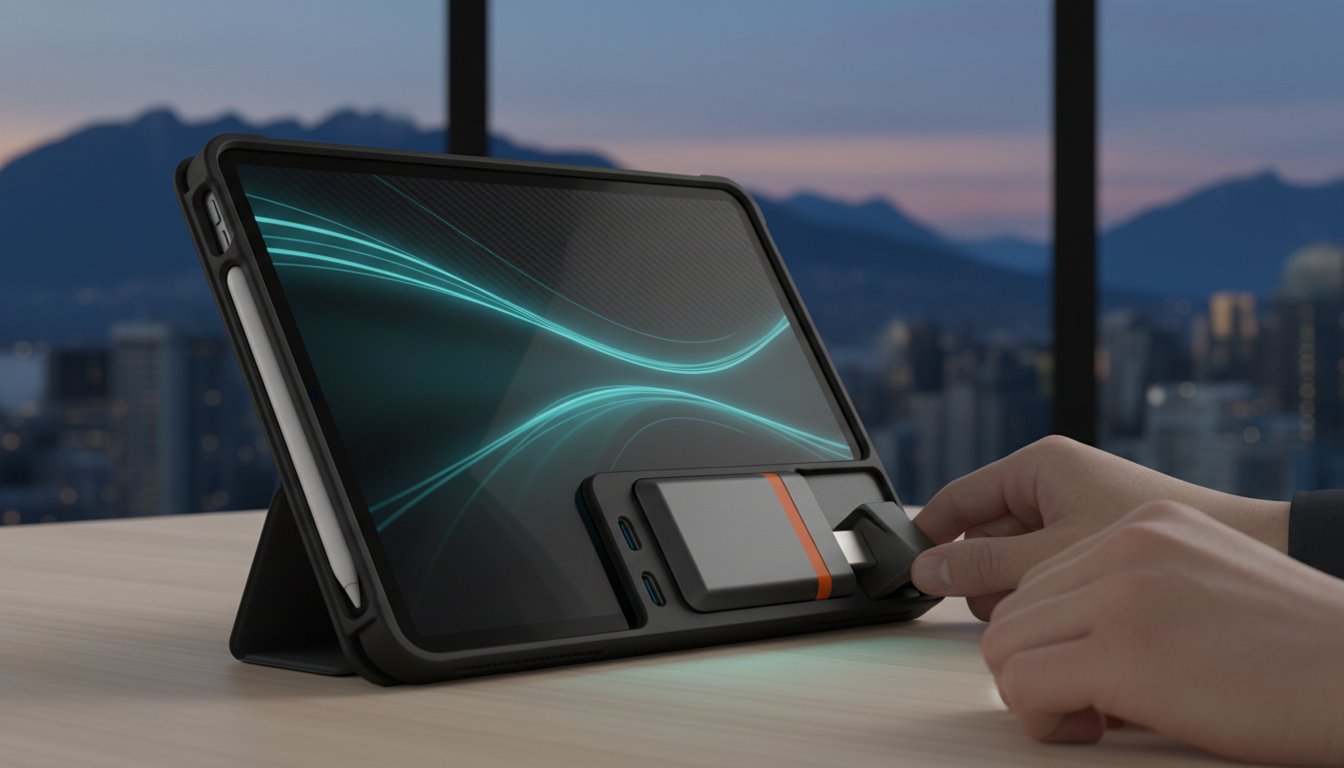
With over 47,000 distinct listings across major online marketplaces in 2026, selecting the right ipad case has become a complex technical decision rather than a simple aesthetic choice. You likely want a solution that balances a sleek, professional appearance with the rugged durability required for a busy Canadian commute. It is frustrating to invest in a premium device only to find your new cover interferes with Apple Pencil charging or blocks a vital USB-C hub. We recognize the need for hardware that supports your productivity without compromise.
This comprehensive guide from Devia Canada provides the technical clarity you need to choose a case that fits your specific workflow perfectly. You will learn how to verify dimensions for the 2026 iPad Air M4 and Pro models to ensure a seamless fit. We will analyze material science, impact protection ratings, and the latest trends in multifunctional designs. Our goal is to help you organize your mobile office with confidence, ensuring your tech remains secure and fully functional in any professional environment across the country.
Key Takeaways
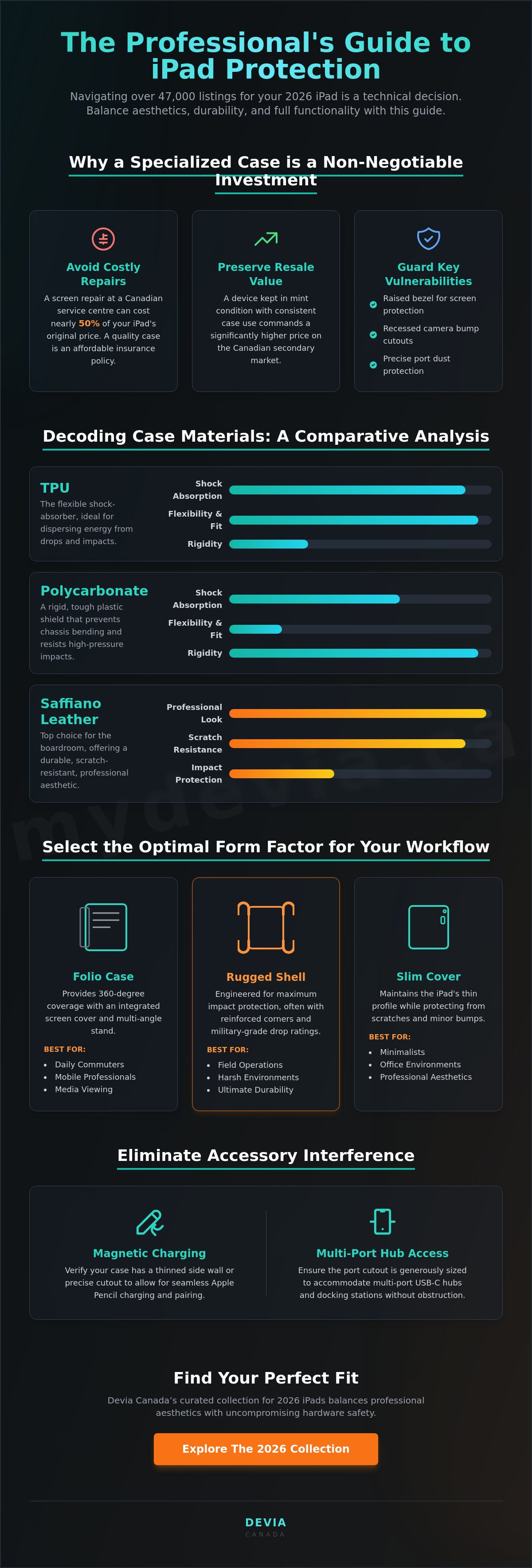
- Preserve device resale value and avoid high repair costs by choosing a specialized ipad case designed for 2026 model specifications.
- Compare the shock-absorbing properties of TPU with the rigid structural integrity of Polycarbonate to match your specific environmental risks.
- Select the optimal form factor for your workflow, whether it requires 360-degree folio coverage for commuting or rugged shells for field operations.
- Eliminate accessory interference by verifying compatibility with magnetic Apple Pencil charging and multi-port USB-C docking stations.
- Balance professional aesthetics with military-grade durability to maintain a modern office appearance without sacrificing hardware safety.
Why Every iPad Model Requires a Dedicated Protective Case
Repairing a damaged screen at a Canadian service centre can often cost nearly half the price of the device itself. For many users, this financial risk makes a dedicated ipad case a mandatory investment. Beyond simple accident prevention, a high-quality cover maintains the device's structural integrity over years of use. This is especially true for larger models like the iPad Pro, where the thin aluminum chassis is susceptible to bending when stored in a tightly packed briefcase or backpack.
Consistent case usage also preserves the resale value of your hardware. When it's time to upgrade, a device in mint condition commands a significantly higher price on the Canadian secondary market. While many users start by looking at official iPad cases, the market has expanded to include specialized third-party options that offer enhanced grip and superior ergonomics for professional workflows.
Understanding iPad Vulnerabilities
The design of modern tablets prioritizes thinness, which often compromises glass integrity during edge-on drops. A well-engineered case provides a raised bezel to ensure the screen never makes direct contact with flat surfaces.
- Camera Bump Protection: Protruding lenses are prone to scratching when the device is placed on a desk. Recessed cutouts are a mandatory feature for any professional-grade cover.
- Port Integrity: Open USB-C ports easily collect lint and debris. Many modern cases now include subtle port covers or precise channeling to prevent dust ingress without blocking access to docking stations.
The Evolution of Tablet Protection in 2026
The 2026 tech market has shifted away from bulky, unattractive "tank" cases toward slim profiles that utilize advanced material science. Modern Canadian professionals now demand multi-functional covers that integrate seamlessly into their digital ecosystem.
- Integrated Stands: Static covers are being replaced by multi-angle stands that support typing, sketching, and video conferencing.
- Material Innovation: High-performance TPU and polycarbonate blends allow for military-grade drop protection without adding significant weight or volume to the device.
- Professional Standards: There is a clear move away from generic, unbranded sleeves. Users realize that a precision-moulded ipad case provides better cooling and more reliable access to buttons and sensors than a loose-fitting pouch.
Efficiency is the priority; the right case ensures your iPad remains a reliable tool rather than a fragile liability.
Decoding Materials: From Saffiano Leather to Rugged TPU
Material selection is the most critical factor in determining how a device survives a drop. In Canada, your tech faces environmental stressors ranging from dry winter air to humid summer commutes. A high-quality ipad case must withstand these changes without becoming brittle or discoloured. While aesthetics often drive the initial purchase, the material science behind the cover dictates its long-term utility and protection level.
Polycarbonate (PC) provides the rigid structural integrity needed to prevent the iPad chassis from bending. It is a tough, impact-resistant plastic that serves as a shield against sharp objects and high-pressure impacts. Many professional-grade designs pair a PC shell with a soft microfibre lining. This interior layer is vital; it prevents micro-abrasions caused by dust particles trapped between the case and the tablet's aluminium back. For the boardroom, Saffiano leather remains a top choice. Its signature cross-hatch finish isn't just for style. The wax treatment makes it exceptionally durable, scratch-resistant, and easy to wipe clean after a busy day of travel.
Choosing materials that offer a secure, non-slip grip also mitigates the ergonomic impact of handheld devices by reducing the muscular force required to stabilize the tablet. You can find these specialized material blends in our latest ipad case selection, designed for both durability and professional aesthetics.
What is TPU and why is it used in iPad cases?
Thermoplastic Polyurethane (TPU) is a sophisticated hybrid material. It combines the structural strength of hard plastic with the flexibility of soft silicone. This allows it to wrap tightly around device edges for a precision fit. The primary benefit is energy dispersion; when your tablet hits the ground, the TPU layer absorbs and dissipates the kinetic force. Reinforced corners are a standard feature in TPU designs, as they provide extra cushioning for the most vulnerable parts of the screen glass.
Aesthetic vs. Functional Materials
High-performance cases use UV-stabilized resins to prevent the yellowing and degradation common in budget alternatives. Professional environments require materials that resist oils and fingerprints. Choosing a matte-finished TPU or a treated leather ensures your gear remains easy to maintain. Unlike decorative shells that prioritize prints, functional materials focus on protective coatings that keep the device looking new while providing a reliable, tactile grip for the user.
Comparing Folios, Rugged Shells, and Slim Covers for Your Workflow
Selecting an ipad case is a strategic decision based on your daily environment. A student commuting on the GO Train has different protection requirements than a field technician in a busy warehouse. Matching the form factor to your specific routine ensures your device remains a functional tool. Efficiency begins with choosing a design that complements your hardware usage without adding unnecessary bulk.
It's the standard for general use; the Folio Case remains the most versatile option. It provides 360-degree screen protection, which is essential for preventing scratches when your tablet is stored in a bag. Most folios include a magnetic front cover that folds into a stand, offering multiple viewing angles for typing or video calls. For those in high-risk environments, a Rugged Shell is mandatory. These cases utilize multi-layer construction to absorb heavy impacts, making them the standard for field workers and active families. If minimalism is your priority, a Slim Back Cover offers basic scratch protection while maintaining the tablet's original profile. Power users should look for keyboard-compatible designs. These specialized cases allow for immediate connection to external peripherals without removing the protective layer.
Choosing a Case Based on Your Persona
Your professional role often dictates the best case configuration. Identifying your primary use case helps narrow down the vast selection of available styles.
- The Student: Focuses on secure Apple Pencil storage and stable viewing angles for taking notes in various lecture hall environments.
- The Artist: Requires a low-angle ergonomic tilt for comfortable sketching and a design that doesn't interfere with edge-to-edge screen gestures.
- The Executive: Prioritizes a professional aesthetic and a slim profile that fits seamlessly into a high-end briefcase or portfolio.
Key Features to Look For in 2026
Technical specifications distinguish a professional ipad case from a generic alternative. Look for these functional elements to maximize device utility.
- Auto sleep/wake functionality: Integrated magnets must align perfectly with the iPad's sensors to ensure the screen shuts off instantly, preserving battery health.
- Heat dissipation: High-performance M4 chips generate significant heat during intensive tasks. Quality cases feature internal venting or textured patterns to facilitate airflow.
- Precision cutouts: Every millimetre counts. Accurate alignment for speakers, microphones, and the USB-C port ensures your device works perfectly with all your accessories.
Maximizing Productivity: Integrating Cases with Hubs and Styluses
Productivity depends on how well your hardware communicates with your accessories. As more Canadian users transition to iPad-first workflows, the physical design of an ipad case becomes a critical factor in connectivity. A frequent issue is the "Hub Gap," where the thickness of the protective shell prevents USB-C docking stations from establishing a secure connection. This can lead to dropped signals, slow data transfers, or failed video output. To avoid this, look for cases specifically engineered with wide port cutouts that accommodate 11-in-1 hubs and high-speed peripherals.
Stylus management is equally important for a modern digital office. Your case shouldn't just store the Apple Pencil; it must facilitate magnetic charging without interference. Cases with thin-walled side rails or specialized cutouts ensure the stylus remains powered and ready for use. Devia Canada focuses on these technical details, creating cases that act as an extension of the tablet rather than a barrier. You can streamline your setup by coordinating your gear, such as matching your tablet cover with professional Apple Watch bands to maintain a consistent brand image.
Connectivity and Clearance
Efficient data management requires a clear path to the tablet's port. High-performance docking stations often have wide connectors that don't fit into standard, narrow case openings. Verifying clearance is vital for those using 11-in-1 docking stations or external SSDs. A well-designed ipad case supports high-speed data transfer by ensuring the connector sits flush against the device. It's also wise to test compatibility between rugged cases and third-party chargers, as some oversized power bricks may struggle with recessed ports.
Building a Cohesive Tech Ecosystem
Organization is a key driver of professional reliability. You can organize your workspace by matching case colours with your laptop stand or other desktop accessories. This methodical approach extends to your protection strategy. A high-quality screen protector is the final piece of the ecosystem, providing a secondary layer of safety that works in tandem with the case. A unified accessory strategy ensures that all your tools work together predictably, reducing downtime and technical friction. It's about creating a workspace where efficiency is the priority.
Enhance your mobile workstation today. Browse our collection of iPad cases and docking stations to find your perfect fit.
Devia Canada’s Curated iPad Case Collection for 2026
Devia Canada’s 2026 collection is engineered for users who prioritize utility and logical organization. Each ipad case in our inventory undergoes rigorous selection to meet the demands of a modern mobile office. We focus on high-performance tech protection that integrates seamlessly with your existing hardware. Our design philosophy balances professional metal-grey aesthetics with the structural benefits of durable polycarbonate builds. This ensures your tablet remains protected without looking out of place in a corporate boardroom or a creative studio.
Canadian tech enthusiasts prefer our solutions because we prioritize clarity and product utility over emotional fluff. We understand that a tablet is a tool, not just a lifestyle accessory. Our systematic approach to device protection means every cutout, hinge, and magnetic alignment is tested for precision. You don't have to worry about loose fits or obstructed ports. Devia Canada provides the reliable expert guidance needed to navigate a vast marketplace of accessories, ensuring you receive a product that enhances your specific workflow.
Why Choose Devia Canada for Your iPad?
Devia Canada acts as an efficient curator for the Canadian market. Our selection omits low-quality filler products, focusing instead on high-performance materials that offer long-term reliability. We provide direct-to-consumer hardware that emphasizes functional design and device compatibility.
- Expert Curation: Every item is chosen based on technical specifications and material quality.
- Functional Design: Our cases focus on real-world utility, such as stable viewing angles and secure stylus storage.
- Canadian Focus: Our customer support understands the local tech landscape and the specific needs of Canadian professionals.
Complete Your Setup
Total device security requires a multi-layered strategy. While a high-quality ipad case protects the chassis, adding a tempered glass screen protector is essential for preventing display fractures. To maximize your productivity, we recommend pairing your case with the DEVIA USB C Laptop Docking Station Leopard Series (11 in 1) Multi-Port Type-C Fast Charging Smart Hub & Stand - Metal Grey. This combination transforms your tablet into a full-scale workstation, providing the connectivity you need for high-speed data transfers and external displays.
Don't settle for inadequate protection. You can browse our full range of iPad and smartphone protective solutions to find the hardware that fits your routine. Explore the Devia Canada collection today and realize the full potential of your iPad with accessories designed for professional reliability.
Secure Your Professional Workflow for 2026
Selecting the ideal ipad case is the final step in securing your mobile productivity. By balancing high-impact TPU materials with precision cutouts for USB-C hubs, you eliminate the technical friction that often hinders professional workflows. We have explored how the right form factor, whether a rugged shell or a sleek folio, preserves both the hardware's structural integrity and its resale value in the Canadian market. These strategic choices ensure your device remains a reliable asset in any environment.
As specialized tech curators, Devia Canada focuses on delivering high-performance Leopard Series hardware and protective solutions directly to your door. We emphasize functional design over decorative fluff, ensuring every accessory integrates perfectly into your existing ecosystem. With direct shipping across Canada, upgrading your device protection is both efficient and predictable. Our commitment to quality ensures that your tech is always ready for the next task.
Take control of your hardware's longevity today. Explore the Full Devia Canada iPad Case Collection to find the perfect fit for your specific routine. Investing in professional-grade protection is the most effective way to ensure your technology remains a reliable tool for years to come.
Frequently Asked Questions
Do iPad Pro cases fit iPad Air models of the same size?
Generally, they don't fit perfectly due to variations in camera modules and button placements. While the physical dimensions of an 11-inch Pro and an 11-inch Air are nearly identical, the Pro often features a larger camera array and different speaker configurations. Using a mismatched ipad case can block sensors or muffle audio output. Always verify the specific generation and model number to ensure full hardware compatibility.
Will a thick iPad case interfere with my USB-C docking station?
Yes, many rugged or thick cases prevent USB-C hubs from seating fully into the port. This "hub gap" is a common issue for power users who rely on multi-port adapters for data transfer or external displays. To maintain a reliable connection, select a case with a wide, precision-cut port opening. This allows the connector of an 11-in-1 docking station to sit flush against the device chassis.
What is the most protective material for an iPad case in 2026?
A hybrid construction using Thermoplastic Polyurethane (TPU) and Polycarbonate (PC) is the current gold standard. The TPU acts as a shock-absorbing bumper for the edges, while the rigid PC backplate prevents the tablet from bending under pressure. This combination provides military-grade drop protection while maintaining a professional, slim profile suitable for most Canadian business environments.
How do I identify which iPad model I have before buying a case?
Check the model number by navigating to Settings > General > About on your device. You can also find a small alphanumeric code starting with "A" printed on the back of the aluminium housing. Identifying this specific code is the most reliable way to shop for an ipad case, as it distinguishes between similar-looking generations of the Pro, Air, and Mini lines.
Does an iPad case help with heat dissipation during gaming?
Standard cases can trap heat, but specialized designs actually facilitate cooling. Look for covers featuring internal honeycomb patterns or carved channels that encourage airflow between the tablet and the case. These features are essential for gamers and creative professionals using the M4 chip, as they help prevent thermal throttling during intensive processing tasks.
Are magnetic folio cases safe for the iPad screen and internal components?
Magnetic folios are specifically engineered to be safe for all internal hardware and display elements. They utilize low-power magnets that trigger the iPad's built-in Hall effect sensors for auto sleep/wake functionality. These magnets are strategically placed and shielded to ensure they don't interfere with the battery, storage, or the Apple Pencil's sensitive internal electronics.
How often should I replace my iPad case to ensure maximum protection?
Replace your case if you notice visible cracking, stretched edges, or significant discolouration. Over time, environmental factors in Canada, such as extreme temperature shifts, can cause TPU to lose its impact-absorbing elasticity. If your device has survived a major drop, the internal structural integrity of the polycarbonate may be compromised, making it less effective at guarding against future impacts.
Can I use an Apple Pencil with any iPad case?
No, the case must feature a thin side rail or a dedicated cutout to allow for magnetic attachment and wireless charging. Many rugged cases are too thick for the induction charging to function, requiring you to remove the cover to power the stylus. Ensure your chosen design specifically mentions "Pencil charging compatibility" to maintain a seamless creative workflow.