

Choosing the Best USB C Fast Charging Hub for Your Canadian Workspace in 2026
2026 Jul 4th
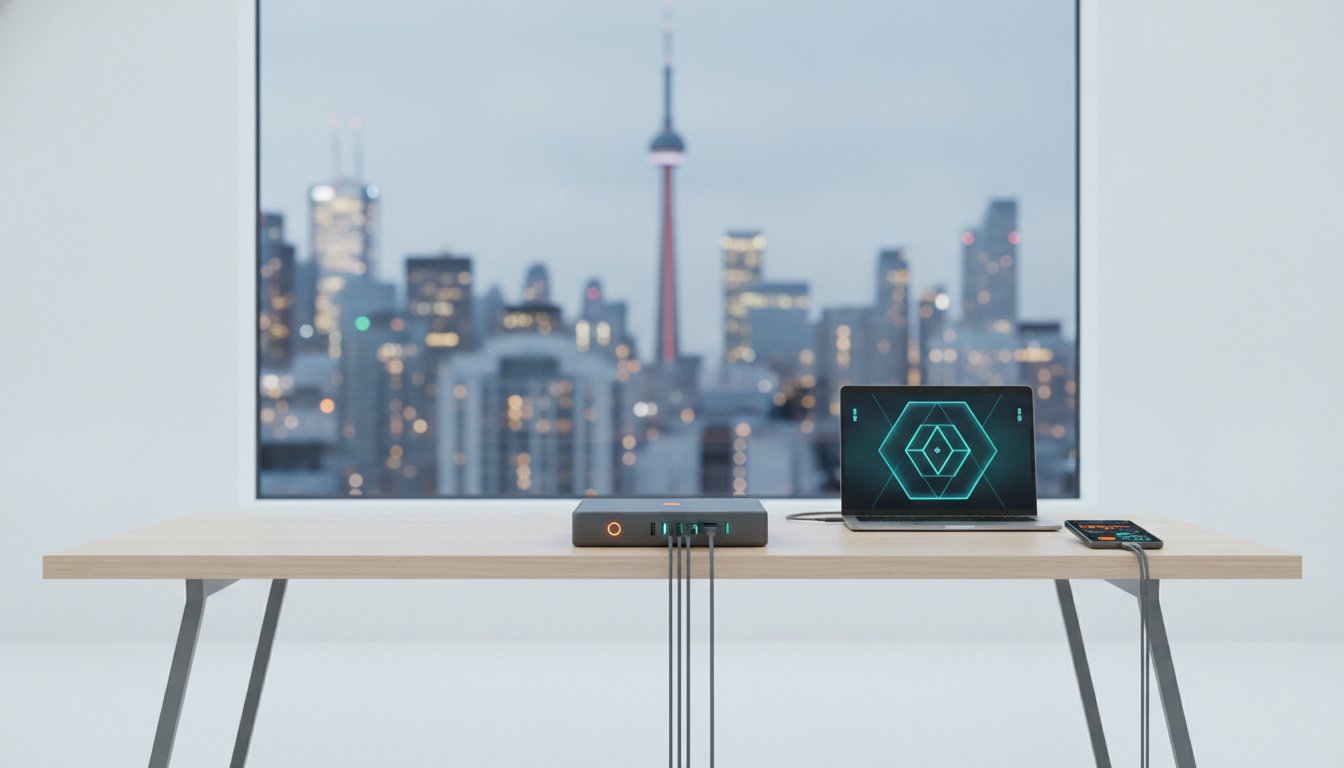
Why does your "fast" hub crawl to a halt the moment you plug in a second device? It's a common frustration for Canadians trying to manage a modern desk setup. Many users realize that a standard usb c fast charging hub often fails to distribute power effectively, leading to overheating and sluggish speeds. You deserve a setup that maintains high wattage across all your premium Apple and Samsung hardware without the clutter.
Cable clutter and overheating hubs disrupt daily productivity. You need a central power source that handles the heavy lifting for both smartphones and high-performance laptops. This guide explains how to identify high-performance hubs that utilize GaN technology and PD 3.1 standards for true, efficient power distribution. We'll help you find a solution that keeps your desk organized and your devices safe.
We'll explore the technical specifications of 2026 hardware, including the iPhone 17 and USB4 2.0 standards. You'll learn how to decode Power Delivery labels and select the right port configurations. This ensures your workspace remains a streamlined centre of efficiency rather than a tangled mess of underpowered adapters.
Key Takeaways
- Distinguish between standard USB splitters and dedicated smart hubs to avoid hardware damage and power drops.
- Leverage GaN technology for high-wattage charging in a compact, heat-efficient form factor.
- Calculate total workspace wattage to select a usb c fast charging hub that powers a MacBook and iPhone 17 simultaneously.
- Balance Type-C and USB-A port counts to match your specific 2026 device ecosystem.
- Optimize desk ergonomics by utilizing hubs with integrated laptop stand functionality.
What Is a USB C Fast Charging Hub and Why Do You Need One?
A usb c fast charging hub is a high-performance hardware bridge designed to centralize your power needs. It transforms a single AC wall outlet into a multi-port station capable of driving laptops, smartphones, and tablets simultaneously. This isn't a basic USB splitter from the early 2010s. A dedicated smart hub uses integrated circuitry to negotiate specific power requirements for each connected device, ensuring every port receives the maximum safe wattage available without dropping the connection.
Canadian professionals are increasingly moving away from the traditional "wall brick" approach. Managing five or six separate power adapters is inefficient and creates a chaotic workspace. By centralizing power into one unit, you create a streamlined centre of operations. This transition is about more than just aesthetics; it's about maintaining consistent power delivery across a mobile-first ecosystem. High-quality hubs offer several distinct advantages for a modern desk:
- Reduced cable clutter: One primary cable to the wall replaces a tangled mess of individual adapters.
- Optimized desk space: Compact designs allow you to reclaim valuable surface area for other tools.
- Thermal safety: Smart hubs include built-in over-current and over-voltage protection to shield expensive electronics.
- Consistent output: Advanced power distribution ensures your laptop doesn't stop charging just because you plugged in a phone.
Charging Hub vs. Docking Station
Choosing between a hub and a docking station depends on your specific workflow. A standard hub focuses primarily on port expansion and high-speed power. A docking station typically adds complex video output lanes for multiple monitors and gigabit ethernet. However, modern hybrid smart hubs now offer a middle ground. They provide the high wattage needed for a MacBook Pro while maintaining enough data bandwidth for essential peripherals. For high-wattage desktop setups in 2026, "fast wireless" pads are often a secondary consideration. Professionals prefer the reliability and raw speed of a direct wired connection for their primary hardware.
The Role of Type-C in 2026
The USB-C standard has officially become the universal interface for the modern era. From the iPhone 17 to the latest enterprise laptops, Type-C is the mandatory connector for both charging and data transfer. Future-proofing your workspace requires a usb c fast charging hub that supports the latest Power Delivery (PD) protocols. Material quality is equally vital. Hardware constructed with metal grey aluminium housing provides superior heat dissipation compared to plastic alternatives. This durability is critical when a hub is running at full capacity during intensive work sessions, ensuring the internal components remain cool and efficient over years of daily use.
Understanding Power Delivery (PD) and GaN Technology
Gallium Nitride (GaN) has officially replaced silicon as the semiconductor of choice for high-performance charging hardware. By 2026, GaN is the baseline standard for any professional usb c fast charging hub. This material conducts electrons more efficiently than traditional silicon, allowing for higher wattages in a significantly smaller footprint. Because GaN components generate less heat, manufacturers can pack more power into compact designs without the risk of thermal throttling or hardware damage.
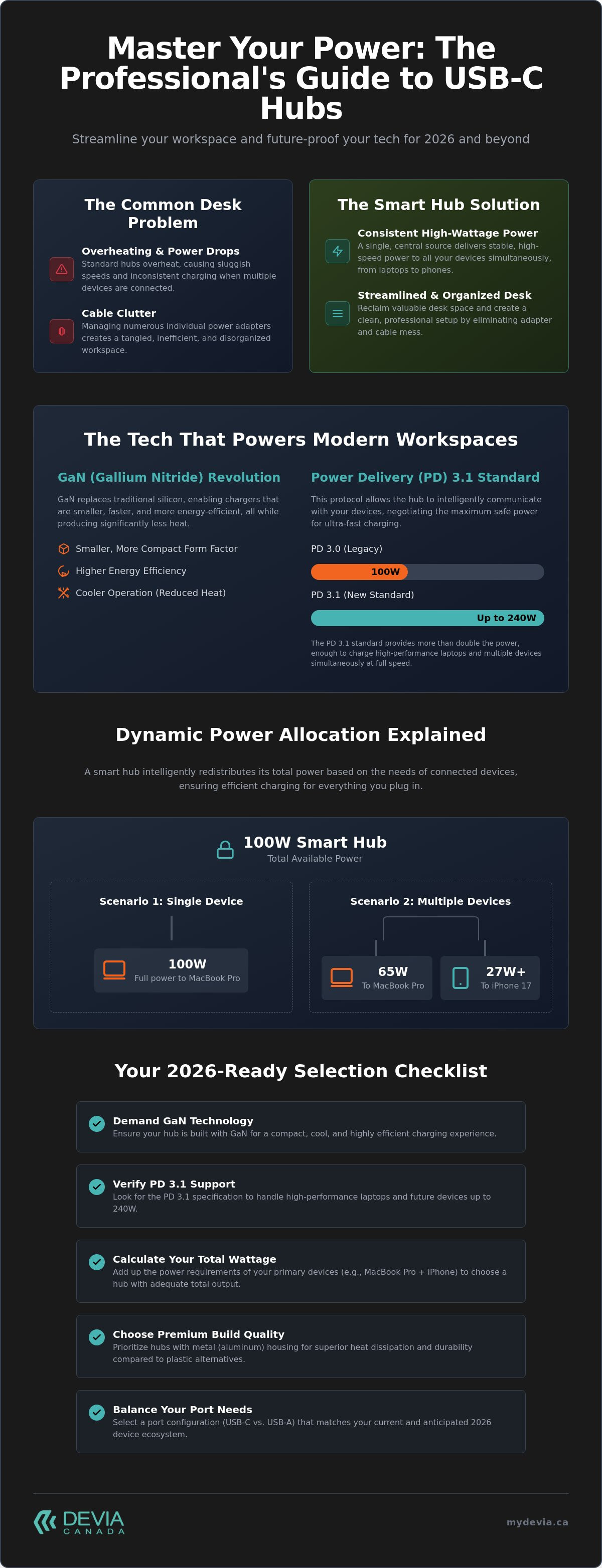
The mechanics of Power Delivery (PD) 3.0 and 3.1 facilitate this rapid energy transfer. These protocols allow the hub and the device to communicate and negotiate the optimal voltage and current levels. While PD 3.0 capped at 100W, the newer PD 3.1 standard supports up to 240W. This massive increase is the reason a single hub can now power a high-performance laptop and a flagship smartphone simultaneously. Global shifts toward common charger regulations have standardized these protocols, ensuring your hub works across different brands and device generations.
Dynamic Power Allocation Explained
Dynamic power allocation is the hub’s ability to shift wattage based on device demand.
If you use a 100W hub to charge a single MacBook, it provides the full 100W. However, plugging in a second device, like an iPhone 17, forces the hub to redistribute its resources. The hub might drop the laptop port to 65W to ensure the phone receives 27W or more for its own fast charging needs. You should always consult the "Port Output Map" before connecting multiple high-drain devices. This map reveals how the total wattage is divided, helping you avoid situations where your laptop battery slowly drains despite being "plugged in."
Heat Management and Safety Features
Efficient energy conversion is vital for the long-term health of your electronics. Excessive heat is the primary cause of battery degradation in premium mobile hardware. A high-quality usb c fast charging hub utilizes advanced circuitry to prevent over-voltage, over-current, and short-circuits. Safety is a priority. Metal-cased hubs, such as those in the Leopard Series, offer superior heat dissipation compared to plastic models. The aluminium housing acts as a natural heat sink, pulling warmth away from internal components and maintaining a stable temperature even during 100W pass-through charging sessions. This level of thermal management ensures your workspace remains safe and your device batteries stay healthy for years.
Compatibility Check: From MacBook Pro to iPhone 17
Compatibility in 2026 is no longer just about the physical connector shape. Your usb c fast charging hub must support specific voltage and amperage profiles to trigger the fast-charging state on modern hardware. For the iPhone 17 series, Apple requires a minimum of 20W for basic fast charging. However, to reach optimal speeds of 50% charge in approximately 30 minutes, you need a hub capable of delivering 27W or higher to that specific port. Without these profiles, your premium phone might only charge at standard 10W rates, significantly slowing your workflow.
MacBook Pro and Air users face even higher demands. A MacBook Air typically requires a 60W input, while the MacBook Pro can demand up to 100W during intensive tasks like video rendering or 3D modelling. If your hub doesn't support 100W Power Delivery pass-through, your laptop battery might slowly deplete even while plugged in. A professional-grade hub ensures your laptop remains fully powered while simultaneously providing enough current for accessories like an Apple Watch or an iPad Pro. Don't forget that Samsung Galaxy S-series devices also require PPS (Programmable Power Supply) support to achieve their "Super Fast Charging" status.
Optimizing the Apple Ecosystem
Managing a full suite of Apple hardware requires a hub that understands specific voltage steps. You can power an iPhone 17, iPad Pro, and MacBook Pro from a single source, effectively turning your desk into a streamlined centre of productivity. While you organize your power setup, consider physical safety as well. Using high-quality iPhone 17 screen protectors alongside a reliable charging hub provides comprehensive protection for your hardware. This combination ensures your display stays pristine while the internal battery remains healthy through stable, regulated power delivery.
Universal Connectivity for Samsung and Beyond
A high-performance usb c fast charging hub provides universal utility for Windows users too. High-performance ultrabooks, such as the HP Spectre and Lenovo ThinkPad, rely on the same PD standards as their Apple counterparts. For Samsung Galaxy users, the hub must communicate with the device to adjust voltage in real-time, preventing heat build-up while maximizing speed. This versatility makes a multi-port smart hub the ultimate travel companion for Canadian professionals. It eliminates the need to carry three different proprietary wall bricks, providing a single, reliable point of connectivity for every device in your bag.
Selection Criteria: How to Choose Your Hub
Selecting a usb c fast charging hub requires a methodical evaluation of your specific hardware demands. You shouldn't just buy the highest wattage available without understanding how that power is partitioned. Follow these steps to ensure your workspace remains efficient and your devices stay protected.
- Step 1: Calculate total wattage. List every device you plan to connect. A high-end laptop typically needs 96W or 100W, while a modern phone requires 20W to 30W. Ensure the hub's total output exceeds the combined peak demand of your primary hardware.
- Step 2: Map your ports. Count your current USB-C and USB-A cables. While Type-C is the standard in 2026, many peripherals still rely on legacy connections.
- Step 3: Prioritize GaN certification. As established, Gallium Nitride is essential for maintaining high wattage without excessive bulk or heat.
- Step 4: Evaluate physical utility. Determine if you need a portable block for travel or a stationary hub that doubles as a laptop stand to improve ergonomics.
- Step 5: Verify Canadian support. Opt for brands that provide local warranty service to avoid international shipping delays if a technical issue arises.
Port Distribution and Variety
Professionals often require more than just power. An 11-in-1 configuration is the ideal choice for those needing integrated HDMI outputs and SD card slots for creative work. While "charger fast wireless" pads offer convenience for casual top-ups, they lack the sustained reliability of a wired connection. A versatile hub provides the stability needed for large data transfers while ensuring your battery percentage actually climbs during intensive use. Don't compromise on port variety; having at least one legacy USB-A port prevents the need for additional "dongles" for older accessories like wireless mouse receivers.
Build Quality and Aesthetics
Material choice directly impacts both performance and office aesthetics. Aluminium finishes are the professional standard in Canadian offices. They offer superior heat management compared to plastic and provide the weight necessary to keep the hub stable on your desk. A lightweight hub that slides around every time you move your laptop is a productivity killer. Investing in a high-quality fast charging hub for multiple devices allows you to maintain a minimalist, organized workspace without sacrificing functional power. For those ready to upgrade their setup, you can browse professional docking solutions that meet these rigorous standards.
The Devia Leopard Series: A Professional 11-in-1 Solution
The DEVIA USB C Laptop Docking Station Leopard Series (11 in 1) represents the practical application of the high-performance standards discussed throughout this guide. It isn't just a basic usb c fast charging hub; it's a structural foundation for your entire workspace. By combining 100W Power Delivery pass-through with a comprehensive suite of data ports, it eliminates the need for separate adapters and messy cable extensions. The Metal Grey aluminium housing isn't merely a stylistic choice. It serves as a critical thermal management tool, ensuring the internal smart chips remain cool even when every port is active.
The integrated stand design directly addresses a common workspace gap: the lack of coordination between charging and ergonomics. Most hubs dangle from a laptop port, putting stress on the connector and creating a messy footprint. The Leopard Series elevates your device to a more comfortable viewing angle while keeping the primary connection point secure and stable. This makes it the logical conclusion for users following the complete guide to multi-device charging stations, as it provides both the electrical capacity and the physical organization required for a professional centre of operations.
All-in-One Productivity
The 11-port configuration is engineered for maximum versatility. It includes a dedicated PD charging port, 4K HDMI for external displays, and multiple high-speed data lanes for peripherals. This variety allows you to transition between a mobile setup and a full desktop experience with a single connection. The Leopard Series is the ultimate professional docking station for 2026.
Why Devia Canada?
Choosing Devia Canada means more than just buying hardware. It's about securing localized support and ensuring your tech ecosystem is fully integrated. You can pair your new usb c fast charging hub with premium iPhone 17 cases for a complete device refresh. Our commitment to high-performance tech hardware and protective mobile accessories ensures that your professional tools are as resilient as they are efficient. By centralizing your procurement with a Canadian-focused retailer, you guarantee that your workspace remains functional, modern, and fully supported.
Optimize Your Desk for 2026
A professional workspace requires more than just port expansion; it demands intelligent power management. You now understand that GaN Fast Charging Technology is the baseline for efficient, cool-running hardware. Selecting a high-performance usb c fast charging hub ensures your MacBook Pro and iPhone 17 receive the specific Power Delivery profiles they need to charge safely. By prioritizing a Premium Metal Grey Aluminium Build, you invest in superior heat dissipation and long-term durability for your mobile ecosystem. This structural foundation prevents the thermal throttling common in cheaper plastic alternatives.
Don't let cable clutter or underpowered adapters limit your productivity. Our team of Canadian-Based Tech Experts is here to help you navigate the complexities of 2026 connectivity standards. You can upgrade your workspace with the Leopard Series 11-in-1 Smart Hub to centralize your power and data needs into one sleek, ergonomic unit. Build a more organized, efficient centre of operations today and experience the difference that professional-grade hardware makes for your daily workflow. It's time to realize the full potential of your high-performance devices.
Frequently Asked Questions
Can I charge my MacBook Pro with a USB C fast charging hub?
Yes, you can charge a MacBook Pro as long as the hub supports high-wattage Power Delivery (PD) pass-through. Most MacBook Pro models require between 60W and 100W for optimal performance. You must ensure your usb c fast charging hub is paired with a wall adapter that meets these specific requirements. This setup ensures your laptop stays powered even during resource-heavy tasks like video editing or compiling code.
Is GaN technology safe for my iPhone 17 battery?
GaN technology is perfectly safe and highly efficient for the iPhone 17. It uses Gallium Nitride to convert power with less heat generation than traditional silicon-based chargers. By reducing thermal stress during the charging cycle, GaN helps protect the long-term health of your battery. It provides the stable, high-speed current necessary to reach the iPhone 17's peak charging rates without risking hardware degradation.
What is the difference between a charging hub and a docking station?
A charging hub focuses primarily on delivering high-speed power to multiple devices. A docking station is designed for broader connectivity, often including multiple video outputs for monitors and dedicated ethernet ports. Modern hybrid solutions, such as the Leopard Series, bridge this gap. They provide the high-wattage power of a smart hub while offering the essential data ports typically found on a professional docking station.
Does a 100W hub give 100W to every port?
No, the 100W rating represents the total power capacity of the usb c fast charging hub. If you connect a single laptop, it may draw the full 100W. When you plug in additional devices, like a phone or tablet, the hub uses dynamic power allocation to redistribute that total wattage. You should check the port output map to see how power is divided when multiple devices are active.
Will this hub work with my Samsung Galaxy and iPad at the same time?
Yes, professional hubs are engineered to handle diverse hardware ecosystems simultaneously. They use intelligent chips to communicate with both Samsung and Apple devices, negotiating the correct voltage for each. This allows your Samsung Galaxy to utilize Super Fast Charging protocols while your iPad Pro draws its own required wattage. It creates a centralized power centre for all your mobile hardware without needing separate adapters.
Why does my charging hub get warm during use?
Heat is a standard byproduct of the energy conversion process. When a hub manages high-wattage throughput, the internal components generate warmth. High-quality hubs use metal grey aluminium housing to act as a heat sink, drawing warmth away from the circuitry. This is why metal cases are preferred over plastic; they dissipate heat more effectively, ensuring the hub remains stable and safe during long work sessions.
Do I need special cables to use a fast charging hub?
You must use cables that are rated for the wattage you intend to draw. A standard USB-C cable may be limited to 60W, which will bottleneck a 100W hub. To achieve maximum speeds, use certified USB-C 2.1 cables that support the latest Power Delivery standards. Using an underpowered cable is a common reason why users don't realize the full speed benefits of their fast-charging hardware.
Is the Leopard Series hub compatible with older USB-A devices?
The Leopard Series includes dedicated USB-A ports to support your legacy accessories. You can connect older flash drives, wireless mouse receivers, or standard charging cables without needing extra adapters. This backwards compatibility ensures that your modern Type-C setup still works perfectly with the essential tools you've used for years. It provides a complete connectivity solution for Canadian professionals managing a mix of new and old hardware.