

Best USB C Docking Station Canada: The 2026 Professional Guide
2026 Jul 14th
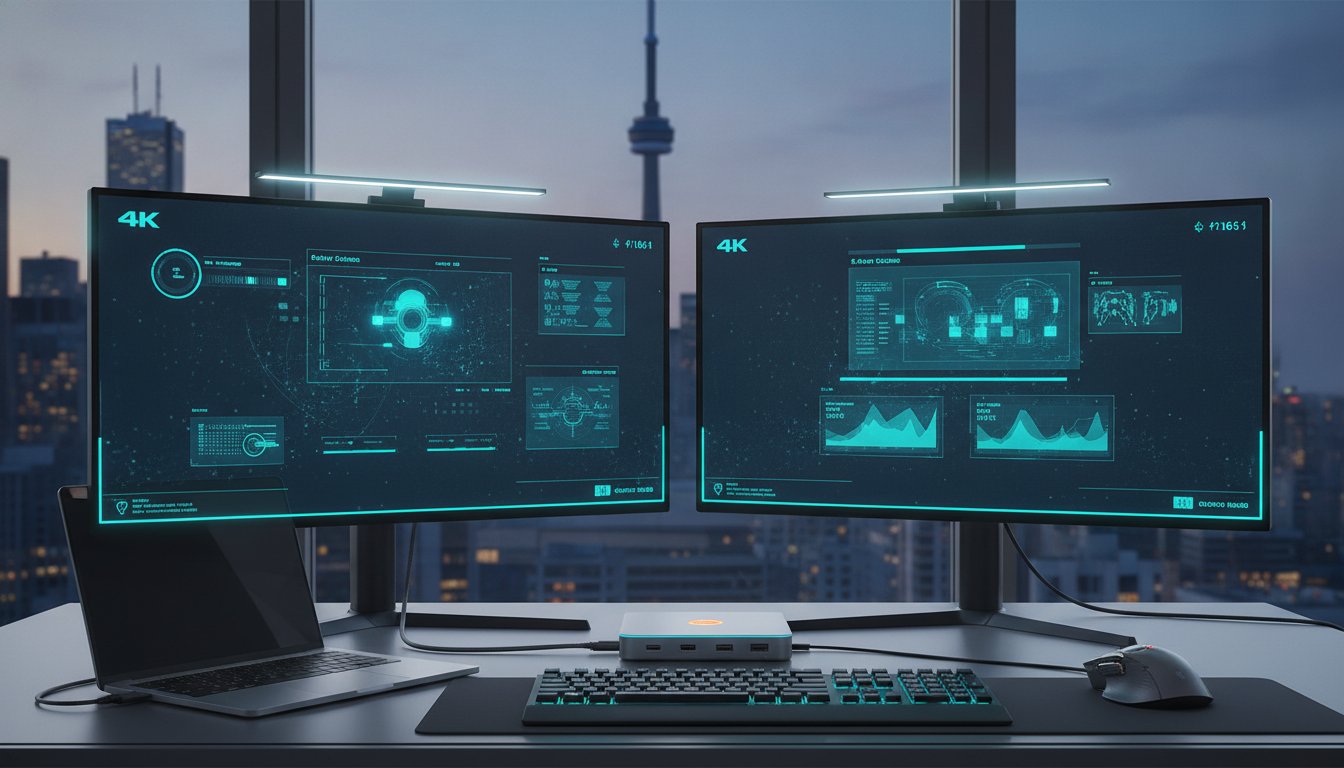
Your high-end laptop is only as powerful as the ports it supports. If you're still swapping cables every time you move from your desk to a meeting, you're losing hours of productivity to hardware friction. Finding the best usb c docking station canada has to offer isn't just about adding ports. It's about reclaiming your workspace from a tangle of adapters and unreliable connections.
You likely realize that a cluttered desk leads to a cluttered mind. Dealing with overheating hubs that drop your Ethernet connection or hunting for a spare USB-A port is a frustration no professional should face. This guide will show you how to choose the ideal docking station to maximize your connectivity and maintain a clean, organized office environment. We'll explore the latest Thunderbolt 5 standards, the utility of the DEVIA Leopard Series 11-in-1 hub, and the specific technical requirements for fast-charging your entire device ecosystem.
Key Takeaways
- Identify the essential ports and Power Delivery requirements to find the best usb c docking station canada for your 2026 professional setup.
- Learn how to streamline your desk and eliminate cable clutter with single-cable connectivity and high-speed charging capabilities.
- Discover the ergonomic advantages of an integrated stand that helps you realize a more comfortable, eye-level viewing experience.
- Explore the professional-grade features of the 11-in-1 Leopard Series, designed to centre all your peripherals in one sleek, Metal Grey hub.
- Understand how to future-proof your Canadian workspace by choosing a docking station that balances legacy support with modern high-speed standards.
Navigating the Best USB C Docking Station Options in Canada
A docking station acts as the central command centre for your digital workflow. It consolidates every peripheral, from monitors to keyboards, into a single connection point. Understanding what is a docking station is the first step in optimizing your productivity. In 2026, Canadian professionals are moving away from the "dongle life" in favour of integrated, single-cable desk setups. This transition removes the daily friction of managing separate adapters. It creates a seamless transition between mobile and stationary work. A single connection now handles everything from your high-speed internet to your external storage.
The industry has shifted entirely from standard USB-A to universal Type-C connectivity. While legacy ports still exist on older accessories, the primary interface for power and data is now uniform. Finding the best usb c docking station canada has available means looking for a device that bridges the gap between old hardware and new standards. High-performance docking stations now offer the bandwidth required to run multiple 4K displays and gigabit internet while charging your device at maximum speed. This capability is essential for creative professionals and data analysts who require consistent, high-speed throughput throughout the workday.
Why USB-C is the Universal Standard in 2026
One port now does it all. USB-C facilitates high-speed data transfer, video output, and significant power delivery through a single interface. This compatibility extends across hardware ecosystems. It works for MacBooks, Windows PCs, and even modern tablets. This simplifies the modern Canadian home office. You no longer need separate proprietary chargers for every device. One high-quality cable keeps your laptop charged and your external hardware connected. It is the foundation of a flexible, future-proof workspace.
Docking Station vs. USB Hub: Identifying Your Needs
Distinguishing between a basic hub and a professional station is critical. Hubs are designed for portability. They're small and often lack independent power. Docking stations are engineered for permanent desk organization. They include a dedicated power supply to ensure your laptop doesn't drain its battery under heavy use.
If you're looking for the best usb c docking station canada offers, you need a solution that handles high workloads without disconnecting. Choosing an 11-in-1 solution provides several advantages:
- Dedicated Ethernet for stable video calls;
- Multiple USB-A slots for legacy peripherals;
- Integrated power delivery for fast laptop charging;
- Support for dual external monitors.
This is the difference between a temporary fix and a permanent productivity solution. It ensures your hardware remains reliable throughout the most demanding projects. By selecting a station with a dedicated power supply, you protect your laptop battery and maintain consistent performance across all connected devices.
Selection Criteria: How to Realize Your Perfect Setup
Selecting the best usb c docking station canada requires more than a glance at the port count. You must evaluate how the hardware manages data, video, and power simultaneously. High-performance work demands 4K monitor support at 60Hz to ensure smooth visual transitions during creative tasks or detailed spreadsheet analysis. Build quality is equally critical. A metal chassis, such as the Metal Grey finish found on professional models, is superior for heat dissipation. Plastic hubs often trap heat, leading to internal throttling and random disconnections. A durable metal exterior acts as a heatsink, maintaining stable performance during long workdays.
Ergonomics also play a vital role in your selection. A dock should not just sit on your desk; it should organize your workspace. Consider how the cable layout affects your physical desk space. Rear-facing ports keep messy cables out of sight, while front-facing ports provide quick access for flash drives or headphones. Understanding the technical specifications of USB-C docks helps you realize which protocols are actually powering your peripherals. For those seeking a professional aesthetic that matches premium laptops, you can view the Leopard Series to see how integrated design improves desk organization.
Understanding Power Delivery and Charging Speeds
Passthrough charging allows your existing laptop power brick to connect directly to the dock. The dock then delivers power to your laptop while reserved wattage runs the connected peripherals. Smart hubs manage this distribution to protect your device's battery health from overvoltage. Power Delivery 3.0 is a protocol that enables fast, bi-directional charging up to 100W, allowing a single cable to power both the dock and the host laptop efficiently. This eliminates the need for multiple power cables cluttering your workspace.
Connectivity and Data Transfer Standards
Transfer speeds define your efficiency when moving large files. USB 3.0 offers 5Gbps, but USB 3.1 Gen 2 doubles that to 10Gbps. This difference is noticeable when backing up external drives or editing video directly from a portable SSD. For professionals in Canada, a dedicated RJ45 Ethernet port is essential. It provides the stability required for high-definition video conferencing that Wi-Fi often cannot match. Content creators should also prioritize integrated SD and Micro SD slots. These ports allow for immediate photo and video offloading without requiring additional, easily lost adapters. When looking for the best usb c docking station canada provides, ensure these high-speed standards are built-in to future-proof your investment.
The Leopard Series: A Professional 11-in-1 Connectivity Solution
The DEVIA Leopard Series is a comprehensive 11-in-1 multi-port docking station. It addresses the specific needs of power users who require more than a basic adapter. When looking for the best usb c docking station canada provides, the Leopard Series stands out because it integrates a high-performance hub with an ergonomic laptop stand. This design choice saves desk space while expanding connectivity. Its Metal Grey finish ensures a professional aesthetic that matches modern laptops, making it a functional centrepiece for any office.
The integrated 11-port layout includes HDMI, VGA, USB-A, and Ethernet. It even features SD and Micro SD slots for quick data offloading. A smart hub chipset manages these high-bandwidth connections simultaneously. This prevents the random disconnections often seen in cheaper, plastic alternatives. You can run external drives, monitors, and wired internet without experiencing lag or port failure. It transforms a single Type-C port into a full-scale workstation without the need for multiple, messy dongles.
Multi-Port Versatility for Diverse Workflows
Multitasking becomes more efficient when you utilize dual displays. The Leopard Series supports multiple video outputs to extend your digital workspace. This is a game-changer for professionals who manage complex spreadsheets or creative timelines. You also get legacy support for USB-A peripherals, ensuring your existing mice and keyboards remain useful. For those with a broader tech ecosystem, integrating a multi-device charging station apple users prefer can further streamline your desk. This combination allows you to power your iPhone and Apple Watch while your laptop handles the heavy lifting.
Fast Charging and Smart Hub Intelligence
Smart charging is built into the Type-C port. It delivers fast charging to smartphones and tablets while maintaining the connection to your host laptop. Heat management is handled by the metal housing, which acts as a robust heatsink. This is vital during long work shifts where hardware can typically throttle under pressure. The Leopard Series is built for reliability in the Canadian climate, where consistent performance is expected regardless of ambient office temperatures. It stays cool and maintains high transfer speeds throughout the day. For anyone seeking the best usb c docking station canada has to offer, the combination of 11-in-1 utility and smart thermal management makes this a top-tier choice.

Ergonomics and Organization: The Integrated Stand Advantage
A docking station that doubles as a stand is a fundamental shift in workspace design. Traditional setups often require a separate stand and a separate hub. This creates a secondary "octopus" of cables connecting the two units. By integrating these functions, the Leopard Series provides a streamlined solution. It is arguably the best usb c docking station canada offers for those prioritizing a clean, minimalist aesthetic. The metal grey hardware provides the weight and stability required for larger 16-inch laptops. This ensures your device remains secure even when multiple heavy cables are attached to the rear ports.
The primary benefit of this design is ergonomic. Raising the laptop screen to eye level reduces the need to slouch. This simple adjustment prevents the long-term neck and back strain associated with standard laptop use. When you combine high-performance connectivity with structural support, you create a professional environment that supports both health and productivity. You can order the Leopard Series 11-in-1 hub to experience this all-in-one ergonomic benefit firsthand.
Creating a Centre-Aligned Productive Workspace
Organization begins with a central hub. Centring your peripherals around the docking station allows for a symmetrical desk layout. The Leopard Series features a 15-degree tilt. This angle is optimized for both viewing and typing, though most professionals pair it with an external keyboard. This setup keeps the laptop screen at a comfortable height while the base of the stand organizes the connection points for your monitors and Ethernet. It facilitates a disciplined approach to hardware management that is essential for high-output workdays. You realize a significant improvement in focus when your primary tools are logically arranged.
Cable Management and Desk Aesthetics
Clutter is the enemy of focus. The integrated stand design allows you to hide cables directly under the laptop's chassis. This creates a "clean desk" environment where only the essential peripherals are visible. This level of organization is a hallmark of the modern professional. Maintaining this standard across all your devices is key for a consistent brand image. For example, pairing your organized workspace with a premium iphone 17 case ensures your mobile hardware matches the sleek, Metal Grey aesthetic of your desk setup. It creates a cohesive tech ecosystem that looks as professional as it performs. This integrated approach is why many consider this the best usb c docking station canada has for high-end office environments.
Final Verdict: Optimizing Your Tech Ecosystem in Canada
Creating a high-performance workspace requires a balance of hardware reliability and ergonomic design. The best usb c docking station canada offers in 2026 is one that consolidates your power, data, and video needs without compromising on speed. The 11-in-1 Leopard Series represents the best value for professionals because it eliminates the need for separate stands and hubs. It offers a centralized solution that stays cool under heavy loads and looks professional in any Canadian office environment. Future-proofing your setup means choosing hardware that handles the high bandwidth of modern external drives and high-resolution displays.
Consolidating your peripherals into a single connection point reduces the daily wear on your laptop's built-in ports. This is a critical factor in maintaining the longevity of your primary device. Before making your purchase, ensure your choice meets these professional standards:
- Power Delivery: Support for high-wattage passthrough to keep your laptop at 100% battery.
- Resolution: Capability to drive 4K monitors for detailed creative or analytical work.
- Port Variety: Inclusion of legacy USB-A ports alongside modern Type-C and Ethernet.
- Thermal Stability: A metal chassis that prevents overheating during continuous operation.
- Ergonomic Support: A design that raises your screen to reduce neck and eye strain.
Matching Your Dock to Your Device
Universal compatibility is the hallmark of a professional docking station. The Leopard Series is engineered for MacBook, Dell, and Lenovo ecosystems. It ensures that your peripherals respond instantly the moment you plug in your laptop. You should always source your hardware from a reputable Canadian retailer. This ensures that the product is optimized for local power standards and comes with reliable customer support. This 11-in-1 smart hub is designed to be the reliable centre of your digital workflow, regardless of which laptop brand you prefer.
Next Steps for a Complete Setup
Once your docking station is in place, you can focus on the rest of your tech ecosystem. Adding screen protection and fast-charging accessories for your mobile devices creates a unified, high-efficiency environment. The Leopard Series is available through Canadian tech distributors specializing in professional-grade hardware. To see how these tools fit into your broader workflow, explore the full collection on the Devia homepage. Taking the time to organize your desk today ensures you can focus on high-value tasks without technical interruptions. It is the most effective way to realize the full potential of your portable workstation.
Upgrade Your Workspace Efficiency Today
Realizing a productive desk setup in 2026 requires more than just a simple adapter. You need a centralized hub that manages high-bandwidth data while supporting your physical posture. By selecting a device that integrates an ergonomic stand with multi-port connectivity, you eliminate cable clutter and protect your hardware from overheating. This systematic approach to your tech ecosystem ensures you stay focused on high-value tasks without the frustration of port failure or battery drain.
Finding the best usb c docking station canada offers means prioritizing versatility and build quality. The Leopard Series delivers this through a premium Metal Grey finish and a robust all-in-one stand and hub design. It's the ultimate tool for professionals who demand reliable, high-speed performance across all their peripherals. You can shop the Leopard Series 11-in-1 USB-C Docking Station at Devia and benefit from fast shipping across Canada to get your office organized immediately.
Take control of your digital workflow and build a workspace that works as hard as you do. Your productivity depends on the reliability of your connections.
Frequently Asked Questions
What is the best USB C docking station for dual monitors in Canada?
The best usb c docking station canada offers for dual monitors is a multi-port hub that features both HDMI and VGA outputs. The Leopard Series allows you to extend your desktop across two external screens, which significantly improves multitasking efficiency. This setup is ideal for professionals managing complex data sets or creative timelines who require a stable, high-resolution visual environment.
Will an 11-in-1 docking station charge my laptop while I work?
Yes, an 11-in-1 docking station with Power Delivery (PD) will charge your laptop while you work. The DEVIA Leopard Series utilizes a Type-C smart hub to manage power passthrough from your laptop's original charging brick. It ensures your device stays at 100% battery even when you're utilizing all eleven ports for peripherals and data transfer.
Is the Devia Leopard Series compatible with the latest MacBook Pro?
The Devia Leopard Series is fully compatible with the latest MacBook Pro models and other Type-C equipped laptops. It utilizes a universal interface that works seamlessly with macOS, Windows, and iPadOS. This makes it a versatile choice for users who need to maintain a consistent workflow when switching between different hardware ecosystems or tablets.
Do I need a Thunderbolt 4 dock or is a USB-C docking station enough?
A high-performance USB-C docking station is sufficient for the vast majority of Canadian professionals. While Thunderbolt 4 offers higher peak bandwidth, a USB-C hub like the Leopard Series handles 4K video, gigabit Ethernet, and high-speed data transfer perfectly. You only need Thunderbolt if you're running high-end external GPUs or multiple 8K displays.
How do I organize my desk cables using a docking station with a stand?
You organize your cables by routing them through the rear-facing ports of the integrated stand. This specific design allows the laptop's chassis to hide the wire connections, creating a clean and minimalist workspace. It effectively eliminates the "octopus" of cables usually associated with separate hubs and laptop stands sitting on your desk.
Can I use a USB-C docking station to charge my smartphone and laptop at the same time?
You can charge both your smartphone and your laptop simultaneously using a smart hub. The Leopard Series features a dedicated Type-C fast charging port that delivers power to your mobile device while the main PD port keeps your laptop energized. This consolidation allows you to centre all your charging needs into one reliable device.
What is the difference between a smart hub and a regular USB-C adapter?
A smart hub includes an internal chipset that manages power distribution and thermal regulation across multiple ports. Regular USB-C adapters are often simpler devices that can overheat or drop connections when several peripherals are used at once. Smart hubs provide a more stable and reliable connection for professional environments where hardware failure isn't an option.
Does the Leopard Series support 4K video output for external monitors?
Yes, the Leopard Series supports 4K video output through its HDMI port for crisp visual clarity. This allows you to connect your laptop to high-resolution external monitors for a professional viewing experience. It's a critical feature for anyone looking for the best usb c docking station canada has available for creative work or detailed data analysis.