

Best MacBook Docking Station Solutions for Canadian Professionals in 2026
2026 Jun 21st
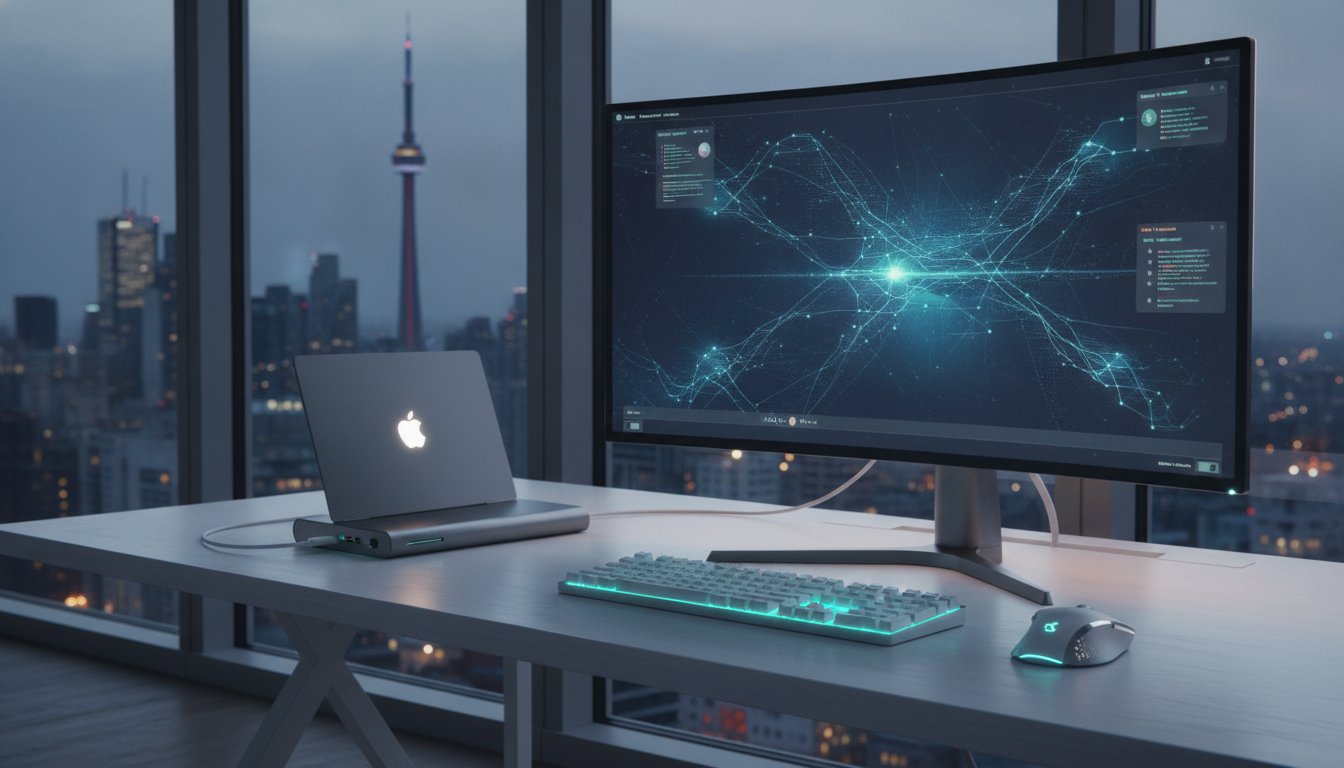
A professional workspace should be defined by its output, not by the number of plastic dongles hanging off your laptop's side. One cable. Total connectivity. You likely feel the daily frustration of "dongle hell" every time you need to connect a high-resolution monitor or a stable Ethernet line. It's a common struggle for Canadian professionals who want to maintain a clean, ergonomic desk while pushing their hardware to its limit. Finding the right macbook docking station is about more than just adding ports; it's about realizing a seamless workflow that eliminates clutter and prevents your device from overheating during intense tasks.
This guide shows you how to expand your MacBook connectivity and optimize your desk layout with the latest high-performance hubs. We'll explore the 2026 hardware landscape, including the shift toward Thunderbolt 5 and USB4 Version 2.0 standards that deliver up to 80Gbps speeds. You'll learn which solutions provide the best balance of fast charging, 8K display support, and reliable port variety to keep your productivity at its peak.
Key Takeaways
- Solve the persistent "port-gap" by consolidating essential peripherals into a single, high-bandwidth connection tailored for minimalist Apple hardware.
- Prioritize Power Delivery (PD) and 4K HDMI support to maintain fast-charging speeds and colour-accurate video output during intensive professional workloads.
- Select the ideal macbook docking station by comparing the portability of compact hubs against the superior heat dissipation and power of all-in-one metal stations.
- Enhance your desktop ergonomics and aesthetic by choosing aluminium finishes that complement your gear while minimizing cable clutter and connector strain.
- Streamline your connectivity with an 11-in-1 smart hub that integrates everything from high-speed Ethernet to legacy video outputs in one functional stand.
What is a MacBook Docking Station and Why Do You Need One?
A macbook docking station serves as a high-performance bridge between your laptop and your entire peripheral ecosystem. It's a centralized hardware hub that links multiple devices to your MacBook using a single USB-C or Thunderbolt cable. While Apple's minimalist design philosophy creates a sleek aesthetic, it often leaves professionals facing a significant "port-gap." This gap represents the distance between the limited ports on your device and the extensive connectivity required for a high-output workspace. To understand the technical foundation of these devices, it helps to ask: What is a docking station? At its core, it's an expansion tool that turns a portable laptop into a permanent desktop powerhouse.
Desktop productivity relies on consistency. A dedicated station allows you to maintain permanent connections to external monitors, mechanical keyboards, and high-speed storage arrays. You don't have to spend ten minutes every morning reconfiguring your desk. Beyond convenience, there's a practical hardware benefit. Constantly plugging and unplugging multiple adapters creates mechanical stress. By using a single-cable solution, you significantly reduce the wear and tear on your MacBook’s built-in ports. This preserves the structural integrity of your logic board connectors over the long term.
The Evolution of MacBook Connectivity
MacBook ports have undergone a radical transformation. We've moved from the era of proprietary MagSafe and USB-A connectors to the current era of USB-C and Thunderbolt dominance. Modern docking stations are essential because they bridge the gap for legacy hardware that many Canadian professionals still rely on daily. In 2026, high-bandwidth data transfer is no longer optional. With the widespread adoption of 80Gbps standards, these hubs ensure your workflow remains fluid. They manage massive data streams from 8K displays and NVMe drives without bottlenecking your system's performance.
Primary Benefits for Professional Users
- Instant Workstation Transition: Move from a mobile meeting to a full desktop setup in seconds. One cable handles power, data, and video.
- Superior Cable Management: Keep your Canadian home office or corporate suite organized. All messy peripheral wires plug into the back of the station rather than the side of your laptop.
- Reliable Wired Networking: Access Gigabit Ethernet for stable video conferencing. It's a critical requirement for professionals who can't afford the latency or dropouts associated with Wi-Fi.
- Enhanced Ergonomics: Support for multiple external displays allows you to position screens at eye level, reducing neck strain during long workdays.
Essential Ports and Specs for Your 2026 Setup
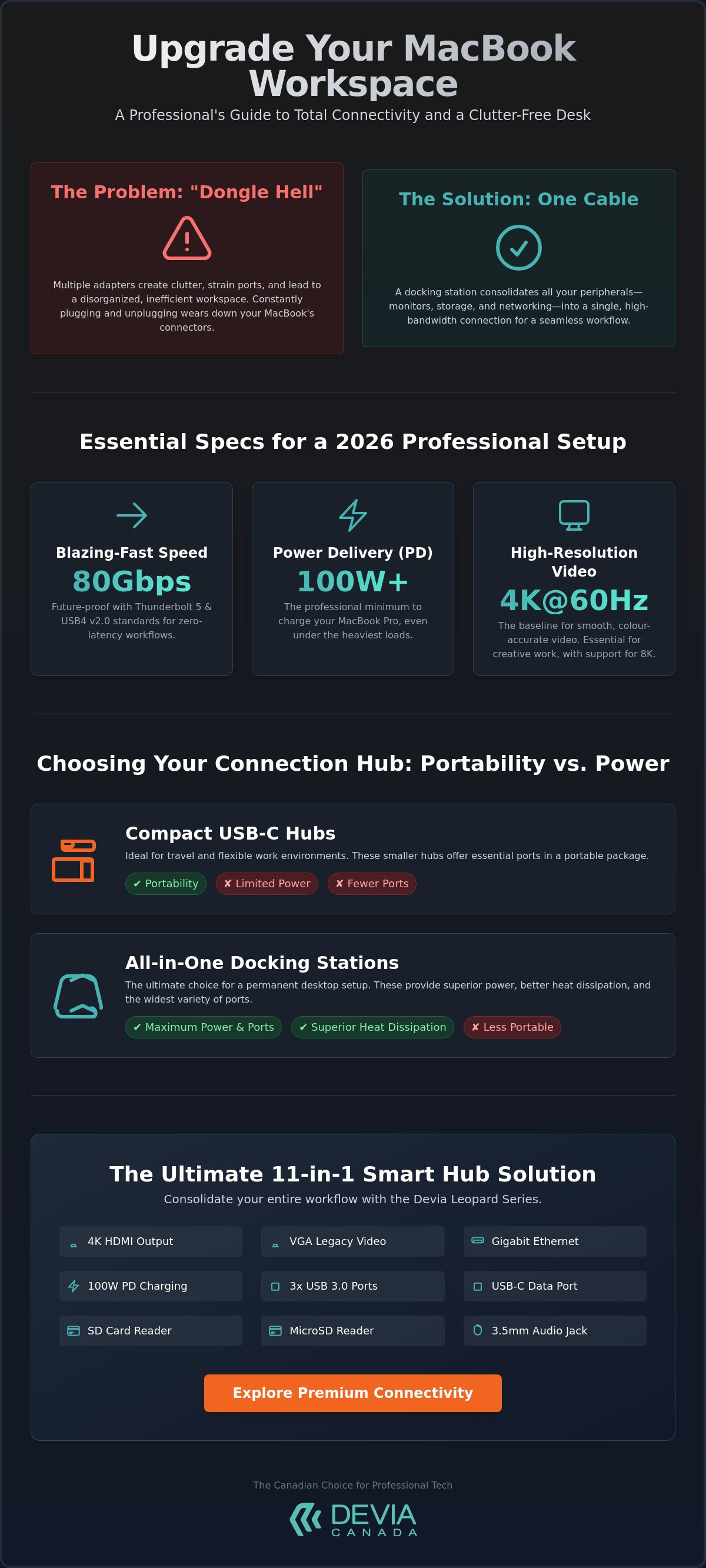
Selecting the right macbook docking station requires a technical deep dive into specifications that go beyond mere port counts. By 2026, the professional standard for connectivity has shifted toward USB4 Version 2.0 and Thunderbolt 5. These standards offer bidirectional speeds of 80Gbps. This massive bandwidth is necessary for managing high-resolution assets and external NVMe storage without latency. For creative professionals, 4K HDMI at a 60Hz refresh rate is the absolute baseline. Lower refresh rates like 30Hz cause visible cursor lag and eye strain. This is unacceptable in a high-stakes corporate environment where precision is required for video editing or colour-accurate design work.
Data transfer speeds vary significantly across different port types. While legacy USB 3.0 ports operate at 5Gbps, modern USB-C 3.2 Gen 2 ports deliver 10Gbps. This difference is noticeable when moving large project files. If you want to realize the full potential of your hardware, ensuring your station supports the latest protocols is vital. You can find many premium connectivity options that integrate these high-speed standards into a single, sleek chassis designed for the Canadian market.
Understanding USB-C Power Delivery (PD)
Power Delivery (PD) allows your docking station to pass electricity from an external wall charger through the hub directly to your laptop. In 2026, a station with 100W PD is the professional minimum. The newest Thunderbolt 5 hardware even mandates a 140W minimum to support power-hungry MacBook Pro models under full load. Look for hubs with built-in safety features like over-voltage and short-circuit protection. These protect your expensive logic board from power spikes while you render 3D graphics or export 8K video files.
Video Output and Multiple Monitor Support
Video connectivity is often the most complex part of a workstation setup. You must choose between HDMI 2.1, which supports 48Gbps, and DisplayPort 1.4, which is ideal for daisy-chaining multiple monitors. Many users face "Mirror Mode" limitations on M-series MacBook Air models because the base chips natively support only one external display. High-quality docking stations often use specialized chipsets to bypass these hardware restrictions. This allows for an extended desktop experience across two or three screens. Always verify that your chosen station supports 60Hz or higher for a smooth visual experience.
Legacy support remains a priority for many Canadian professionals. Photographers and videographers still require dedicated SD and MicroSD card readers for fast file ingestion. A station that omits these ports forces you back into the cycle of using small, easily lost adapters. High-end stations now include UHS-II support, which provides the speed necessary to handle the massive data requirements of 2026 camera sensors.
USB-C Hubs vs. All-in-One Docking Stations
Choosing between a portable hub and a stationary macbook docking station depends entirely on your daily movement and power requirements. While both devices expand your connectivity, they serve distinct operational roles. A portable USB-C hub is a compact, bus-powered device designed for short-term use in coffee shops or boardrooms. In contrast, an all-in-one docking station is a more robust, often externally powered solution intended to remain on your desk. For the Canadian professional, the decision hinges on whether you prioritize a lightweight kit or a high-performance, permanent workstation.
Heat dissipation is a critical differentiator that many users overlook until their performance throttles. High-speed data transfer and power delivery generate significant thermal energy. Metal docking stations, particularly those built from aluminium, act as a heat sink to draw warmth away from internal chipsets. This keeps your connection stable during eight-hour workdays. Plastic hubs often struggle with heat retention, which can lead to dropped connections or reduced charging speeds during intensive tasks like video rendering or large file backups.
The "Stand" advantage provides a dual-purpose benefit that standard hubs cannot match. By integrating the dock into a vertical or angled stand, you improve the airflow around your MacBook's chassis. This prevents the internal fans from ramping up prematurely. It also elevates the screen to a better ergonomic height. When you realize that a single device can manage your cables and your posture, the long-term value of a multi-port smart hub becomes clear.
When to Choose a Portable USB-C Hub
Portable hubs are the primary choice for digital nomads and students who work from multiple locations. These devices focus on a lightweight design and prioritize essential ports like USB-A, HDMI, and a single USB-C pass-through. They don't require an external power brick, making them easy to slide into a laptop sleeve. However, they have limitations. You'll often find lower power throughput and a restricted number of simultaneously active devices compared to stationary models.
The Case for a Permanent Docking Station Stand
A permanent docking station stand is designed for maximum efficiency in a home or corporate office. It creates a "set and forget" environment where all your peripherals, including legacy VGA monitors and high-speed RJ45 Ethernet, remain plugged in. You simply connect one cable to your MacBook to activate your entire ecosystem. This setup provides a more robust port selection and superior ergonomics by lifting your laptop to a comfortable viewing angle. It's a professional-grade solution for those who require a reliable, high-bandwidth centre for their daily operations.
Optimizing Your Canadian Workspace for Productivity
Efficiency in a professional environment depends on more than just internal hardware specs. It's about how that hardware integrates into your physical environment. A macbook docking station should serve as the anchor of your desk layout. Strategic placement is essential. Position the station to minimize cable strain on your laptop ports; this prevents long-term connector fatigue. Aesthetic matching also matters for a cohesive corporate look. Choose Metal Grey or aluminium finishes that complement the industrial design of your Apple hardware. This creates a unified, professional appearance that feels like an extension of your computer rather than an afterthought.
Ergonomics play a vital role in long-term health and focus. Align your MacBook screen with your external monitors to maintain a consistent horizontal eye level. This reduces neck rotation and eye strain during extended sessions. Your hub can also serve as a charging centre for your entire mobile ecosystem. Use the available ports to connect chargers for your iPhone and essential accessories. If you want to coordinate your style across all your gear, explore our guide on Apple Watch bands for Canadian professionals. For those ready to upgrade their entire desk experience, you can browse our professional workstation solutions today.
Cable Management Strategies
- Single-Cable Connectivity: Use one high-bandwidth cable to handle power, video, and data. This immediately clears your desk surface of unnecessary clutter.
- Rear-Entry Organization: Route peripheral cables behind the docking station stand. This hides messy wires from view.
- Video Call Readiness: Maintain a clean background and foreground for professional remote meetings. A tidy desk projects organization and reliability.
Thermal Management and Device Longevity
Heat is the primary enemy of electronic components. Elevating your laptop on a docking stand prevents thermal throttling by increasing airflow around the chassis. High-quality metal materials, such as aluminium, provide superior passive cooling by conducting heat away from the station's internal chipsets. This ensures your data transfer speeds remain stable even under heavy workloads. To protect your mobile gear while you work, consider integrating a multi-device charging station into your setup. This keeps your iPhone and other devices organized and powered without cluttering your primary workspace.
The Devia Leopard Series: The Ultimate 11-in-1 Solution
The DEVIA USB C Laptop Docking Station Leopard Series (11 in 1) Multi-Port Type-C Fast Charging Smart Hub & Stand – Metal Grey is a comprehensive connectivity solution for the modern professional. It solves the limitations of minimalist hardware by providing a robust 11-port interface in a single unit. This macbook docking station includes 4K HDMI for high-resolution displays, a VGA port for legacy equipment, and multiple USB ports for your essential peripherals. The inclusion of a dedicated RJ45 Gigabit Ethernet port provides the stable, high-speed connection necessary for high-stakes Canadian business environments.
High-speed data transfer is complemented by advanced Power Delivery (PD) support. This feature allows for fast charging through the hub, keeping your laptop at full capacity during intensive rendering or multitasking sessions. The durable Metal Grey finish and aluminium construction are designed to realize a cohesive look with your existing Apple gear. It's a functional, professional-grade tool that prioritizes both utility and industrial design. By consolidating your connections into one device, you eliminate the need for multiple, unreliable adapters.
A Hub and Stand in One Design
This device addresses a significant gap in the market by combining a high-performance hub with an ergonomic stand. Most professionals are forced to purchase these as separate accessories, which increases desk clutter and cable complexity. The Leopard Series replaces both with a single, foldable unit. It's an ideal choice for hybrid workers who need a stable workstation at home but require portability for the office. The secure grip and weighted base ensure your MacBook remains stable at a comfortable eye level; this improves your posture while keeping the chassis cool through better airflow.
Technical Specifications for Power Users
- Gigabit Ethernet: Delivers a reliable, wired internet connection for zero-latency video conferencing and large file transfers.
- Dual-Slot Media Reader: Integrated SD and TF card slots support efficient media offloading for photographers and videographers.
- Triple USB Expansion: Features two USB 3.0 ports for high-speed external drives and a USB 2.0 port for peripherals like mice or keyboards.
- Legacy Video Support: The VGA port remains vital for connecting to older projectors in Canadian boardrooms or educational centres.
The 11-in-1 Leopard Series is the definitive productivity tool for 2026 MacBook users who want to maximize their hardware's potential.
Streamline Your Professional Workflow
Realizing a high-output workstation requires more than just a powerful laptop. It's about how you organize your connectivity to eliminate distractions and technical bottlenecks. By transitioning to a single-cable setup, you reduce port wear and tear while maintaining a clean, professional desk layout. The integration of ergonomic stands with high-bandwidth hubs ensures your device stays cool during intensive tasks while protecting your posture during long workdays in the Canadian office.
Choosing the right macbook docking station is the final step in building a reliable desktop ecosystem. The DEVIA Leopard Series provides an all-in-one solution that combines 11-in-1 multi-port functionality with a premium Metal Grey aluminium construction. This design includes an integrated ergonomic laptop stand to elevate your viewing angle and improve airflow. Upgrade your workstation with the Devia Leopard Series 11-in-1 Docking Station to experience seamless performance and organized productivity. It's time to reclaim your desk space and focus on your best work.
Frequently Asked Questions
Will a MacBook docking station work with both MacBook Air and MacBook Pro?
Yes, a macbook docking station works with both MacBook Air and MacBook Pro models equipped with USB-C or Thunderbolt ports. Compatibility is determined by the port type rather than the specific model name. This allows Canadian professionals to use the same hardware across different device generations. It ensures your peripheral investment remains valid even if you upgrade from an Air to a Pro model.
Does this docking station support dual external monitors on M1 or M2 MacBooks?
Standard M1 and M2 MacBook Air models natively support only one external monitor. While the hardware on the macbook docking station may have multiple video outputs, the limitation exists within the Apple silicon base chip. Users requiring dual extended displays on these specific models typically need a station with a specialized DisplayLink chipset. Always verify your specific processor's display limits before configuring a multi-monitor setup.
Do I need to install drivers to use the Devia Leopard Series docking station?
No driver installation is required for the Devia Leopard Series docking station. It's a plug-and-play device that utilizes native macOS drivers for all ports, including HDMI, VGA, and Ethernet. You can connect the hub to your laptop and begin using your peripherals immediately. This eliminates the need for third-party software updates or complex configuration steps in your professional workspace.
Can I charge my MacBook through the docking station while using all the ports?
You can charge your laptop while using all available ports via the Power Delivery (PD) pass-through port. Connect your official Apple charger to the PD port on the hub to provide power to the laptop and all connected peripherals. This single-cable solution ensures your battery remains charged during intensive tasks like video editing or large file transfers. It provides a streamlined way to manage power without occupying an extra port on your MacBook.
Is the 11-in-1 hub compatible with other USB-C laptops like the Samsung Galaxy Book?
The 11-in-1 hub is compatible with most modern USB-C laptops, including the Samsung Galaxy Book. It uses universal USB-C standards for data, video, and power delivery. While designed with an Apple-style aesthetic, the technical interface is cross-platform. This makes it a versatile choice for Canadian offices that utilize a mix of macOS and Windows hardware for different departments.
How much power does the docking station itself consume from the charger?
The docking station consumes approximately 10W to 15W of power for its internal circuitry and port management. When you connect a 100W charger to the hub, the laptop will receive roughly 85W to 90W of effective power. This overhead is necessary to maintain stable connections for high-speed Ethernet and external drives. Always use a charger with sufficient wattage to account for this internal consumption while under heavy load.
Does the docking station support 4K resolution at a 60Hz refresh rate?
Yes, the Leopard Series supports 4K resolution at a 60Hz refresh rate through the HDMI port. This provides the smooth visual experience required for professional design and video editing. Using a 60Hz refresh rate eliminates cursor lag and provides a more fluid interface compared to older 30Hz adapters. Ensure you use a high-quality HDMI 2.0 or 2.1 cable to realize this level of performance.
Can I use a screen protector on my MacBook while it is sitting in the stand?
You can safely use a screen protector on your MacBook while it sits in the integrated stand. The stand's secure grip points are designed to hold the laptop chassis rather than the screen surface. This prevents any interference with protective films or tempered glass layers. It allows you to maintain your device's physical protection while benefiting from the improved ergonomics and airflow of the elevated stand design.