

Best Fast Charging Hub for Multiple Devices: A 2026 Buyer’s Guide
2026 Jun 26th
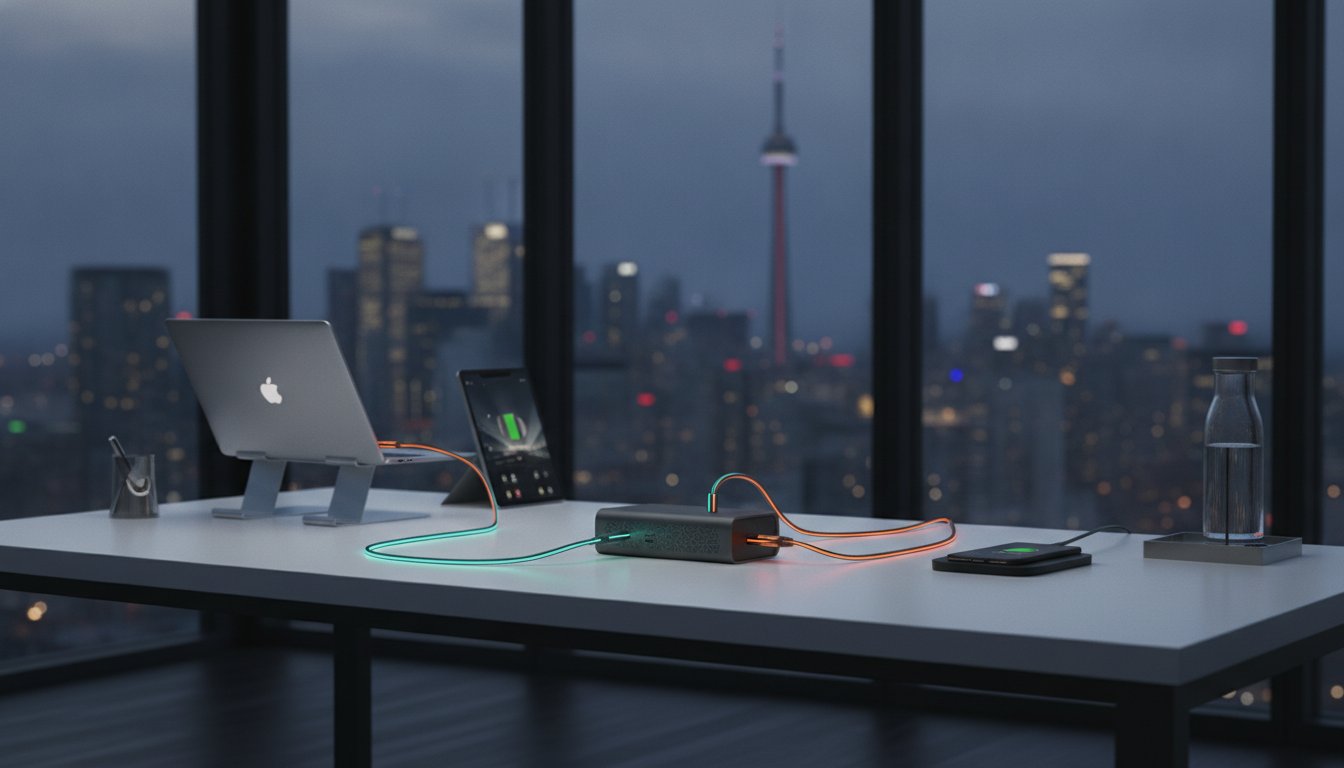
The average high-tech household in 2026 manages 12.4 connected devices. This volume of hardware often leads to cable clutter and significant power bottlenecks. Finding a reliable fast charging hub for multiple devices is now essential for any professional workspace. Most generic hubs fail to deliver full speed the moment you occupy a second port. They frequently overheat or lack the wattage required for high-performance laptops like the MacBook Pro. You deserve a solution that balances high-wattage Power Delivery with intelligent thermal management.
This guide helps you realize peak productivity by centralizing your power needs into a single, efficient outlet. You will learn how to maintain a clean desk centre while protecting long-term battery health. We preview the latest GaN technology and essential Canadian safety certifications such as cUL and CSA. From the multi-functional Devia Leopard Series 11-in-1 Smart Hub to high-output desktop stations, we identify the best tools to keep your gear powered and organized.
Key Takeaways
- Understand why Gallium Nitride (GaN) is the 2026 standard for high-efficiency power delivery in compact hardware.
- Learn how to calculate your specific wattage requirements to select the ideal fast charging hub for multiple devices without sacrificing speed.
- Distinguish between dedicated desktop charging stations and multi-functional docking stations to optimize your workflow.
- Identify essential Canadian safety certifications like CSA and UL to protect your high-value electronics from power surges.
- Explore the benefits of combining a laptop stand with high-speed charging via the Devia Leopard Series 11-in-1 solution.
What Defines a Fast Charging Hub for Multiple Devices?
A standard USB power strip is a passive tool. It simply provides a physical connection to an electrical outlet. In contrast, a fast charging hub for multiple devices functions as an active power management system. These units use internal controllers to identify connected hardware and negotiate the fastest possible speed without exceeding safety limits. This intelligence is what separates a professional workstation centre from a cluttered pile of cheap adapters.
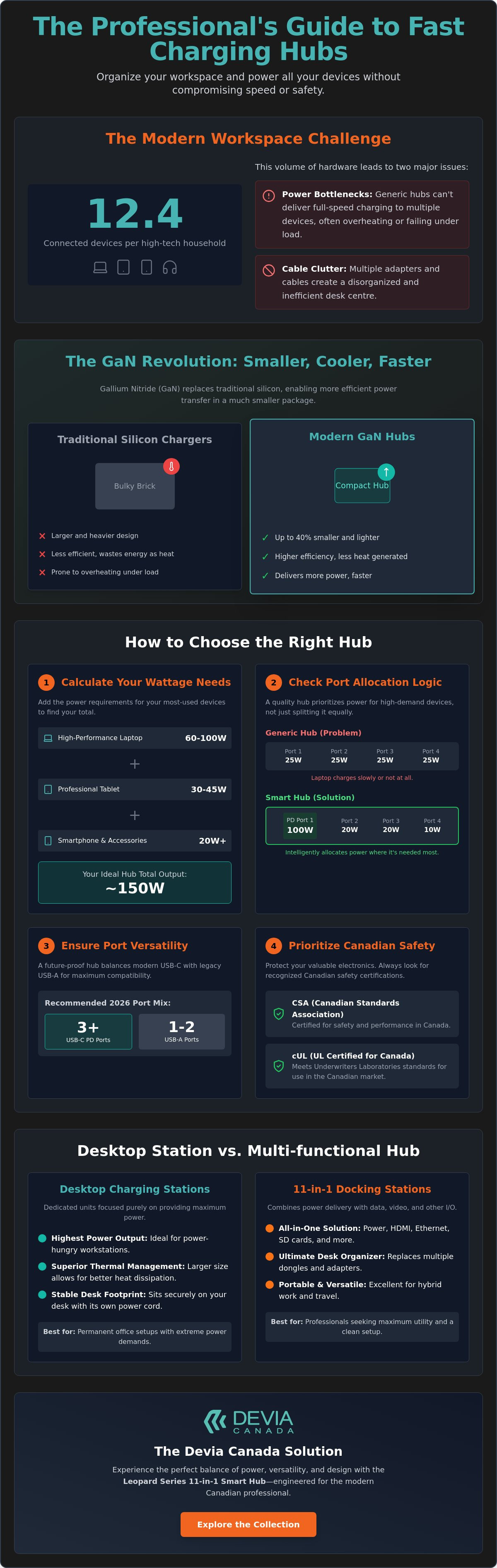
Total output ratings can be misleading. While a hub might boast 100W or 200W of total power, the way it distributes that energy matters most. High-quality hubs prioritize specific ports for high-demand hardware like laptops, while dynamically adjusting the remaining ports for phones or accessories. This prevents the slow charge effect often seen when every port is occupied. It also protects battery longevity by avoiding the micro-fluctuations in current that degrade lithium-ion cells over time.
The Evolution of Power Delivery (PD) Standards
Modern charging relies on USB Power Delivery (PD) protocols. PD 3.0 and the newer PD 3.1 standards allow for massive power transfers through a single Type-C cable. These standards enable a handshake between the hub and your device. They communicate in real-time to determine if your laptop needs 65W or if your earbuds only require 5W. If you use a cable not rated for these high wattages, your hub will automatically throttle the speed to prevent overheating. Your cable is the bridge; if it's narrow, the power cannot flow at peak capacity.
GaN Technology: Smaller, Cooler, Faster
Gallium Nitride (GaN) is the material that revolutionized modern power adapters. It replaces traditional silicon, allowing components to be packed closer together without increasing heat. For the Canadian professional, this means a high-wattage hub is now the size of a deck of cards rather than a bulky brick. GaN components operate with higher efficiency, meaning less energy is wasted as heat. This is a critical advantage for travellers who need to organize their bags without adding excessive weight or worrying about a hot charger in a cramped airport lounge.
Key Criteria for Choosing Your Multi-Device Hub
Selecting the right fast charging hub for multiple devices requires more than checking the box for high wattage. You must align the hub's capabilities with the specific power draw of your hardware ecosystem. A high-performance laptop, a professional tablet, and a flagship smartphone can easily require a combined 150W of sustained power. If your chosen hub is only rated for 65W total, your devices will charge at a crawl or the unit will become dangerously hot during use.
A fundamental understanding of how fast charging works is essential for making an informed purchase. This process involves a complex negotiation of voltage and amperage between the charger and the device. If the hub lacks the specific protocol required by your smartphone or laptop, it defaults to a standard, slow speed. High-quality hardware ensures this handshake happens instantly and safely.
Wattage Allocation Logic
Not all ports are created equal. Most smart hubs use a priority system where the primary USB-C port receives the maximum available wattage. High-end models feature intelligent power allocation, which dynamically shifts power between ports as you add or remove hardware. To charge a modern laptop like a MacBook Pro or a high-end PC workstation while in active use, you typically need a dedicated output of at least 60W. Anything less might only slow the battery drain rather than increase the charge percentage.
Port Versatility and Future-Proofing
By 2026, USB-C has become the dominant interface for almost all consumer electronics. However, legacy gear like older wireless mice or specialized peripherals still rely on USB-A. A future-proof hub should offer a mix, leaning heavily toward USB-C (at least three ports) while retaining one or two USB-A ports for versatility. Look for hubs that specify high insertion ratings. Daily plug and unplug cycles can quickly wear down cheap, poorly manufactured connectors.
Thermal management is the final piece of the puzzle. Plastic housings are common in budget models but often trap heat, which leads to thermal throttling and reduced charging speeds. Metal casings, particularly those made of aluminum, act as a heat sink to dissipate warmth efficiently. For a permanent desk setup, a desktop "brick" with a dedicated power cord is more stable than a heavy wall-plug design that might sag out of a loose outlet. If you want to organize your workspace with reliable, high-output hardware, consider browsing a premium charging collection designed for professional environments.
Desktop Charging Stations vs. 11-in-1 Docking Stations
A dedicated fast charging hub for multiple devices typically prioritizes high-wattage throughput across several ports. These units are designed for users who need to replenish batteries quickly without the requirement for peripheral expansion. However, for those looking to maximize productivity, a multi-functional docking station offers a more comprehensive solution. The distinction lies in how you intend to use your workspace: as a simple refueling station or a high-performance command centre.
Choosing between these two categories depends on your mobility needs. A charging station is often a stationary tool that stays on your desk or nightstand. A docking station is a portable bridge that travels with your laptop, providing both power and connectivity. Both serve to eliminate the clutter of individual wall adapters, but only one can truly streamline your digital workflow.
The Power-Only Charging Hub
Power-only hubs are ideal for communal areas, kitchens, or households with high device counts. They focus on providing the maximum total amperage across several USB-C and USB-A ports. These devices excel at charging tablets, phones, and portable accessories simultaneously. Their main limitation is a lack of data transfer capabilities. You can't use these hubs to connect an external monitor or move files from a thumb drive. They are specialized tools for pure energy delivery, often featuring higher total wattage limits because they don't need to reserve overhead for data processing.
The Multi-Port Docking Station Advantage
Professional users often require more than just power. An 11-in-1 docking station integrates high-speed Power Delivery with essential connectivity ports like 4K HDMI, SD card slots, and Gigabit Ethernet. This setup allows you to transform a mobile laptop into a full desktop workstation with a single cable. It eliminates the need for multiple dongles and keeps your desk organized. You no longer have to choose between charging your device and connecting your peripherals.
The Leopard Series 11-in-1 from Devia Canada exemplifies this dual-purpose design. It provides fast charging while acting as a functional laptop stand. The metal-grey aesthetic is a deliberate choice for modern offices, offering a professional look that complements high-end hardware. By centralizing your connectivity and power, you reduce cable strain and simplify your daily routine. This level of integration from Devia Canada is the ultimate goal for anyone seeking a clean and efficient workspace.
Safety Standards and Reliability in Canada
Electrical safety in Canada requires certification from a Standards Council of Canada (SCC) accredited body. Look for recognized marks such as CSA, cUL, or cETL. The "c" prefix in cUL is critical; it indicates compliance with specific Canadian electrical standards. Many generic products found on global marketplaces only carry the CE mark. This is a European standard and is not approved for sale or insurance compliance in Canadian professional environments. A certified fast charging hub for multiple devices ensures the hardware has passed rigorous testing for fire safety and electrical stability.
Reliable hubs utilize fire-retardant materials like V0-grade polycarbonate or aluminum housings. These materials prevent the spread of fire if an internal component fails under high wattage loads. Internal protection circuits are equally vital for long-term hardware health. These systems guard against over-voltage, over-current, and short circuits. If a power surge occurs, a high-quality hub will sacrifice its own internal fuse to protect your connected hardware. Buying from local retailers ensures you have access to national support and valid warranties that overseas sellers often ignore.
Protecting Your High-Value Devices
Cheap, unbranded chargers from overseas often lack sophisticated current regulation. This leads to "dirty" power delivery. It causes micro-fluctuations that degrade expensive smartphone batteries or damage delicate laptop motherboards. Modern smart hubs use integrated Smart Chip technology. These chips monitor the thermal state and power draw of each device 100 times per second. This constant adjustment prevents overcharging and keeps heat levels within safe parameters. Avoid high-wattage chargers that do not clearly state their safety protocols or chip manufacturer.
Organizing the Canadian Workspace
A clutter-free desk improves focus and productivity. Position your hub to allow for maximum airflow. Heat is the primary enemy of high-output electronics; keeping the hub in an open area rather than a drawer prevents thermal throttling. Use cable ties or integrated management systems to route wires behind your desk centre. For a cohesive professional look, pair your high-output hub with premium iPhone 17 cases. This creates a unified aesthetic of protection and performance across your entire tech stack.
Ensure your setup meets Canadian safety standards and delivers maximum efficiency by choosing a certified multi-port charging solution today.
The Devia Canada Solution: Leopard Series 11-in-1 Smart Hub
The DEVIA USB C Laptop Docking Station Leopard Series (11 in 1) from Devia Canada is more than a simple power source. It is an integrated tool designed for professionals who require a high-output fast charging hub for multiple devices without sacrificing workspace aesthetics. The metal grey chassis is precision-engineered to match the premium finish of modern hardware. This ensures your desk centre remains visually cohesive while delivering high-wattage performance.
Professional Connectivity and Power
This unit provides 11 distinct ports to manage your entire digital workflow. It features a high-speed Type-C Power Delivery port for rapid charging, alongside dual card readers and 4K HDMI output. It's fully compatible with the latest MacBook, iPad, and Samsung Galaxy devices. The integrated stand design provides ergonomic benefits by elevating your laptop to a comfortable viewing angle. This elevation also assists with passive cooling, preventing the thermal throttling discussed in previous sections.
Why Devia Canada is the Choice for Canadians
Devia Canada provides a curated selection of tech hardware optimized for reliability and speed. We offer fast national shipping across all provinces, ensuring you receive your gear quickly regardless of your location. Our customer service is focused on the specific needs of the Canadian market, providing direct support for our high-performance Leopard Series. Selecting a verified local provider ensures you receive hardware that is fully compliant with national safety standards. Upgrade your setup with the Leopard Series from Devia Canada and secure a more efficient workstation today.
Optimize Your Professional Power Setup
Selecting a fast charging hub for multiple devices is the final step in mastering your digital workflow. You've learned how to balance high-wattage power delivery with intelligent thermal management to protect your hardware while maintaining a clean desk centre. Verifying Canadian-specific safety marks like cUL or CSA is the most reliable way to ensure long-term hardware health and office safety.
Devia Canada remains committed to providing hardware that bridges the gap between high-speed utility and sleek design. Our Leopard Series is specifically curated for the Canadian professional who demands fast national shipping and reliable customer support. By choosing a local expert, you ensure your equipment is backed by quality standards and a dedicated team. It's time to move past the clutter and realize the full potential of your workspace.
Shop the Leopard Series 11-in-1 Fast Charging Hub and experience a higher standard of power management today.
Frequently Asked Questions
Can I charge my laptop and phone at the same time without losing speed?
Yes, you can charge both simultaneously if your hub supports intelligent power allocation and has a high total wattage. Professional hubs prioritize the primary USB-C port to ensure your laptop receives its required 60W or 100W. The remaining power is then distributed to your phone or tablet without interrupting the main charging stream.
What is the difference between a USB-C hub and a docking station?
A USB-C hub is a portable tool designed primarily to expand your port count for peripherals. A docking station, such as the Leopard Series 11-in-1, is a more robust solution that integrates high-speed data, 4K video output, and high-wattage Power Delivery. It effectively transforms a mobile laptop into a full desktop workstation using a single cable.
Is a 100W charger safe for a device that only needs 20W?
It is completely safe to use a high-wattage charger for lower-power devices. Modern electronics and smart hubs use a communication protocol to negotiate the exact power draw required. Your smartphone will only take the 20W it needs, regardless of the maximum capacity available from the charging station.
Do I need a special cable for fast charging multiple devices?
You must use cables rated for the specific wattage you intend to draw. To realize the full potential of a fast charging hub for multiple devices, ensure your USB-C cables are rated for 100W or 240W. Standard cables often lack the E-marker chip required to handle high-current loads safely and will throttle your charging speeds.
Why does my charging hub get warm during use?
Warmth is a normal byproduct of converting high-voltage AC power into the DC power your devices use. While GaN technology makes this process more efficient, some heat generation is expected during high-wattage transfers. Metal housings act as a heat sink, dissipating this warmth into the air to protect the internal circuitry and your battery health.
How do I know if a charging hub is compatible with my MacBook?
Check the hub's technical specifications for USB Power Delivery (PD) support and the maximum wattage per port. MacBook Air models generally require 30W to 45W, while MacBook Pro models often need 65W to 140W. Ensure the hub meets or exceeds the wattage of your original Apple power adapter for the best results.
What safety certifications should I look for in Canada?
You should only purchase hardware that carries the cUL, CSA, or cETL certification marks. These labels confirm the product has been tested by an SCC-accredited body and meets Canadian electrical safety standards. Avoid products that only feature a CE mark, as these are not approved for legal sale or insurance compliance within Canada.
Can a multi-port hub charge an Apple Watch and an iPhone simultaneously?
Yes, multi-port hubs are designed to handle various device types at once. The internal smart chip identifies the lower power requirement of the Apple Watch and the higher demand of the iPhone. It then delivers the correct current to each port, allowing you to organize your desk and charge your entire ecosystem from one outlet.